Document a Process Before Automating: The Six Fields That Matter
Document a process before automating so the builder works from facts, not guesswork. Write down the trigger, steps, decisions, exceptions, owner, and definition of done. This one-page note replaces endless calls and stops a build stalling on 'it depends'. Do it now, before choosing any tool.
What exactly should I write down before automating?
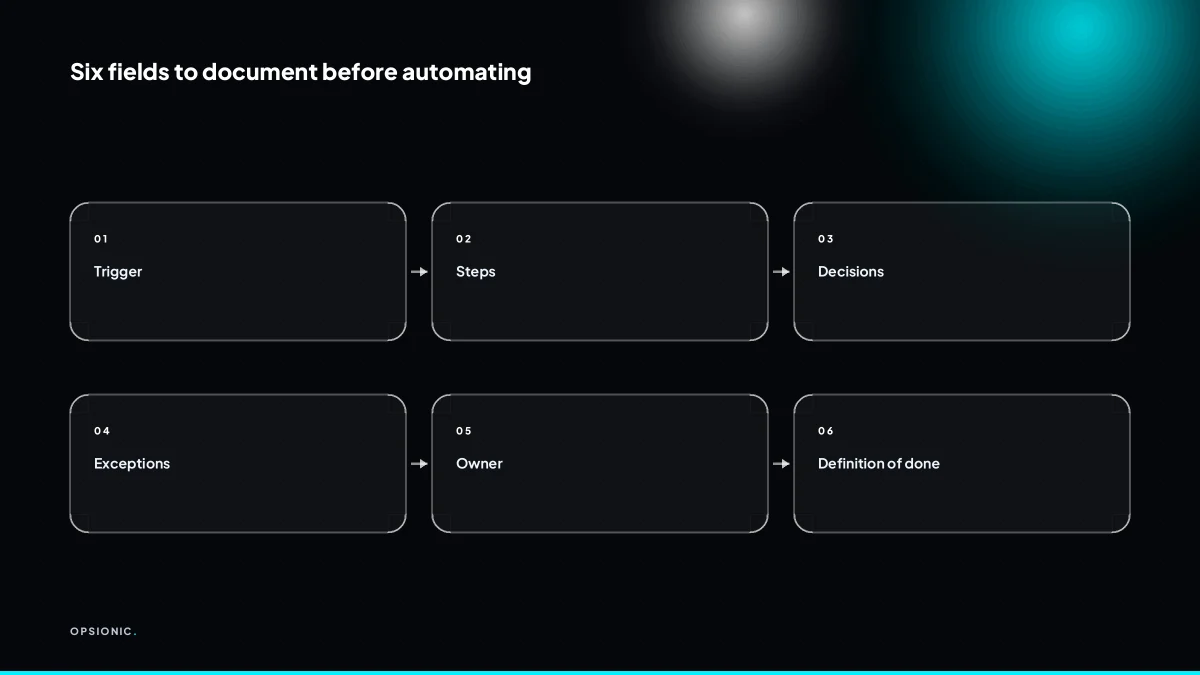
Write down six fields: trigger, steps, decisions, exceptions, owner, and definition of done. The trigger is the event that starts the process. Steps are the happy-path actions. Decisions are branches with conditions. Exceptions are known variations. Owner is the person who can confirm details. Definition of done is the final state.
Each field earns its place. The trigger stops you automating around a vague starting point: a form submission, an invoice marked paid, a calendar event ending. Steps list the clicks and checks in order, nothing more. Decisions capture where the path splits, for example whether an order is above a certain value. Exceptions name the known oddities you have already met, like a client who always pays late. The owner is the human who can say what should happen when you are unsure. Definition of done tells the automation when to stop.
Writing only the steps fails because real processes are rarely a straight line. A list of actions hides the moments where a person makes a judgement call. Those moments become bugs later. A decision is a branch with a condition you can test, such as “if the amount is over EUR 500, route to manager approval.” An exception is a named variation that does not fit the rule, like a specific client who submits orders by phone. Decisions belong in the logic. Exceptions belong in the notes, and often in a short one-page SOP the owner can update.
How detailed does process documentation need to be?
Detailed enough that a builder who has never seen the work can reproduce it without asking you a single question. For most small business processes, that means one page. Include exact names of tools, fields, and buttons. Describe what happens, not why, except where the why changes the what.
The one-page rule forces you to leave out history, opinions and edge cases that happen twice a year. If a note does not change the next action someone takes, cut it. What remains is the instruction set.
Name every screen, field label and click path. Write “open the Stripe dashboard, select Payments, filter by Disputed” rather than “check for chargebacks.” If a step happens in Google Sheets, name the tab and the column. A builder following the page should never have to guess which “settings” you meant.
Add a screenshot or a short recording only when the interface is confusing or the sequence is easy to get wrong. A 30-second screen recording of a three-click export beats three paragraphs of description. Keep media next to the step it illustrates, not in an appendix.
This level of detail is exactly what turns a vague idea into a brief we can build from during a planning chat.
Not sure which of these applies to you?
Answer six questions and see what we would automate first in your business, and what it is worth.
What is the minimum template that prevents a build from stalling?
Use a template with six fields: trigger, steps, decisions, exceptions, owner, definition of done. Each field has one clear instruction. Fill it in order. If you cannot name the trigger, stop. If you cannot name the owner, stop. A filled template is a checklist that proves you are ready to automate.
Here is the template with example answers for a small bookkeeping firm that wants to automate chasing unpaid invoices:
- Trigger: What event starts this process? Example: an invoice passes its due date by one day. Check: you can name the exact data point that fires the first step.
- Steps: What happens next, in order? Example: pull the invoice from the accounting tool, find the client email, send a reminder. Check: each step is one action, not a paragraph.
- Decisions: Where does the path split? Example: if the invoice is under EUR 100, skip the phone call step. Check: every branch has a condition you can test.
- Exceptions: What should never be automated? Example: clients marked as disputed, invoices older than 90 days. Check: you have listed at least one real exception, not “none”.
- Owner: Who is accountable for the process working? Example: the office manager, not a tool. Check: one named person, not a department.
- Definition of done: What does a completed run look like? Example: reminder sent, log entry written, no duplicate sent. Check: you can verify the outcome in under a minute.
Each field is mandatory because each one catches a different stall. A missing trigger means the automation never starts. Missing steps means the builder guesses. Missing decisions means the automation takes the wrong branch silently. Missing exceptions means it sends a reminder to a client who is already angry. Missing owner means nobody notices when it breaks. Missing definition of done means you cannot tell a success from a failure.
Use the template as a readiness gate. Fill it in before any tooling conversation. If you leave a field blank, the build stops there. That is not bureaucracy. It is the difference between a half-hour of writing and weeks of rework, which is one of the reasons the hours you save depend on the clarity you bring.
How do I capture decisions and exceptions without documenting every edge case?
For decisions, write the condition, the two or more outcomes, and the rule for choosing. For exceptions, list only the ones that happen at least once a month. For everything else, write a default rule: “If not listed, do X and flag for review.” That stops the document from becoming a novel.
A decision row has three parts. The condition is the trigger: “Customer asks for a refund after 30 days.” The outcomes are the possible paths: approve, deny, or escalate. The rule is the test: “Approve if the order value is under EUR 50 and the account has no prior refunds. Otherwise escalate.” Without the rule, the person or the automation has to guess.
The monthly threshold keeps the exception list short. If a case happens twice a year, it does not belong in the core document. It belongs in the default rule. That rule is your safety net: “If not listed, apply the standard outcome and flag it for review.” The flag matters. It turns one-off surprises into future decisions instead of silent precedent.
| Item | What to write | Example |
|---|---|---|
| Condition | The trigger that starts the decision | Invoice is 14 days overdue |
| Outcomes | The two or more possible paths | Send reminder, call, or pause work |
| Rule | The test that picks the outcome | Reminder if under EUR 200, call if over |
| Exception | Only cases happening monthly or more | Client on a payment plan |
| Default | What happens to everything unlisted | Apply standard rule, flag for review |
This is where the hidden costs of automation show up early. A workflow built without a default rule breaks the first time reality deviates from the script. The document is not a contract. It is a filter that separates what you actually decide from what you can safely defer.
What is this costing you now?
Based on removing half of that time.
Who should own the documented process before automation?
The person who currently does the work owns the document until the automation is live. Ownership means they can confirm every step, decide on ambiguous cases, and sign off the final note. If that person is not available, the project stops. Do not let a manager who has never done the task write it alone.
The doer owns the document because they know what the notes leave out. They know which client always sends the wrong file format. They know which step takes two minutes on a good day and forty on a bad one. A manager writing from memory will smooth over those rough edges, and the automation will inherit the fantasy version of the job.
Ownership is not a title. It is three concrete requirements:
- Availability. The owner must be reachable during the build. When a step does not match the tool, the builder needs an answer within a day, not a week.
- Authority. The owner must be allowed to decide what counts as an exception. If every question goes up the chain, the document stalls.
- Sign-off. The owner reads the final note and confirms it matches the real work. That signature is the point where the document stops being a draft.
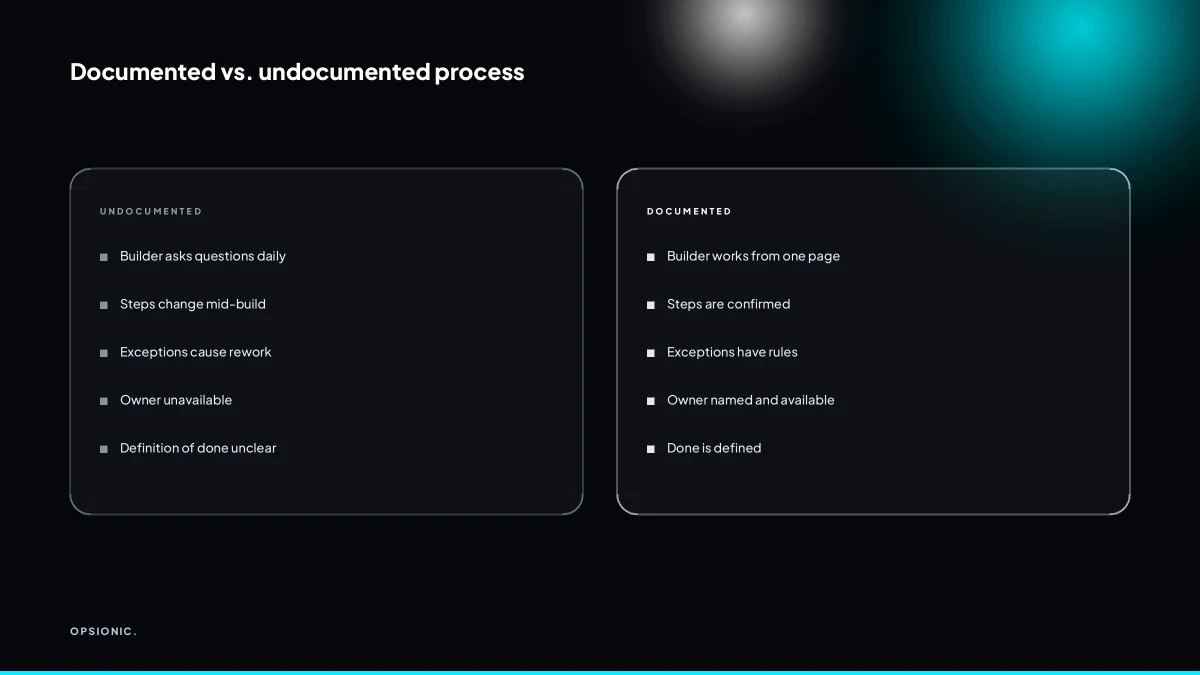
When ownership is unclear, two people each assume the other will answer. The builder waits. The manager guesses. The doer discovers the automation later and says it does not match what they actually do. You then pay to redo work that a clear owner would have caught in the first week. This is also why you should confirm who owns the automation you paid for before the build starts, not after.
What does a finished, hand-off-ready process note look like?
A finished note is one page, written in plain language, with the six fields filled. It names the trigger, lists the steps in order, shows decisions as if-then rules, lists monthly exceptions with their handling, names the owner, and states the definition of done. It ends with a worked example using a real recent case.
Take invoice chasing at a small plumbing firm. Trigger: an invoice reaches seven days past due. Steps: open the accounting file, copy the customer email, send the overdue template, log the date. Decision: if no reply in three days, send the shorter second template. Monthly exception: a customer on a payment plan gets no chaser, only a note to the owner. Owner: the office manager. Definition of done: the chaser is logged and the next reminder date is set.
Now test the note with a real case. Say a job in March billed EUR 480 and the customer went quiet. You walk the note line by line: day seven, template one sent; day ten, template two sent; day fourteen, the owner gets a flag. If the note produces that sequence without you having to ask anyone a question, it is ready. This is the same discipline we apply when we look at what we automate for small businesses.
The final check before handing the note to a builder: read it once as if you have never done the job. Any word that needs inside knowledge, any step that skips a click, any decision left to judgement gets written down or removed. If a new starter could follow it on their first morning, the builder can too.
Want this running in your business next week?
A relaxed 20-minute video chat. Camera on or off. You leave with a plan whether or not you hire us.
- No call unless you ask for one
- From EUR 399 a month, no setup fee
- Built and run for you, not handed over as homework
Sources we checked
Questions people ask
How long should process documentation take?
For most small business processes, half an hour to an hour is enough for a first draft. The doer writes it, the owner confirms it. If it takes days, you are documenting edge cases that belong in a default rule, not the core note.
Can I document a process that changes weekly?
Document the stable core: trigger, owner and definition of done rarely change. Put the shifting parts in a default rule that says what to do when the case is unlisted. Review the note monthly and update only the fields that moved.
What if two people do the same task differently?
Write both versions down and compare them step by step. Pick one as the standard and record the other as a named exception with its condition. Automating two silent variants is how a workflow takes the wrong branch.
Do I need a diagram or is text enough?
Text is enough for most processes. A one-page note with numbered steps and if-then rules is easier to update than a diagram. Add a screenshot or a 30-second recording only where the interface or sequence is easy to get wrong.
Should I document before or after choosing an automation tool?
Before. The document describes what happens, not which tool does it. If you pick the tool first, the build follows the tool's limits instead of your process. Fill the six fields, then talk about tooling.
What if the process has no clear trigger?
Then you are not ready to automate it. A trigger is a data point you can test: a form submission, an invoice passing its due date, a calendar event ending. If you cannot name one, the first step is deciding what actually starts the work.
How do I keep the document updated after automation?
Name the owner in the note and give them a monthly review. When the automation flags an unlisted case, the owner decides the outcome and adds it to the document. The note stays one page because only recurring cases get promoted into it.