What Tasks Should a Small Business Automate First?
The tasks a small business should automate first are the repetitive, high-frequency jobs that eat hours every week and cause the most frustration. Start by scoring each recurring task on frequency, duration, and annoyance. The highest-scoring task is your first automation target, because it will deliver the biggest time saving for the least setup effort.
What does automating a task actually mean for a small business?
Automating a task means setting up a rule that completes it without a person doing the manual steps each time. For a small business, that usually means connecting two tools you already use, like your inbox and a spreadsheet, so data moves between them automatically. The goal is to remove the repetitive clicking, copying, and typing from a process you already do every week.
Think of it as giving a reliable instruction to your software, once, instead of performing the same instruction yourself every time. You are not replacing your judgement. You are removing the parts of a job that do not need judgement at all.
A single trigger-action pair is the smallest unit. When one thing happens in tool A, tool B does one thing in response. Three everyday examples:
- When an email with an invoice attachment arrives, save the attachment to a specific cloud folder.
- When a new row is added to a spreadsheet, create a draft invoice in your accounting software.
- When a customer fills in a booking form, add them to a calendar and send a confirmation email.
A full workflow chains several of these pairs together. The invoice attachment gets saved, the sender gets a reply, and the due date lands in your task list. That is what our automation services build for businesses that want the whole sequence handled, not just the first step.
Which tasks are genuinely good automation candidates and which are not?
Good automation candidates are tasks with clear rules, a predictable trigger, and a repeatable outcome. They happen often, take a few minutes each time, and require no judgement. Bad candidates are tasks that need human decision, happen rarely, or involve complex exceptions. In short, automate the boring and the frequent, not the occasional or the tricky.
A task is worth automating if you can answer yes to three questions. Is the trigger always the same, like a form submission or an invoice due date? Is the rule clear enough to write down in one sentence? And does it happen at least a few times a week? If so, the automation will pay for itself quickly.
One-off projects are poor candidates. Migrating a website, hiring a first employee, or setting up a new supplier involves too many decisions to automate. Tasks with many exceptions fail too. An order that needs manual review when the delivery address is outside your region, or a refund that depends on the reason code, still needs a person.
High annoyance but low frequency can still win. A monthly report that takes three hours and ruins your Friday is a strong candidate, even though it happens only twelve times a year. The pain is concentrated, and the rules are usually stable. Compare that to a five-minute task you do daily without thinking. Both deserve a look, but the monthly report often gets automated first because the emotional cost is higher.
| Good candidate | Bad candidate |
|---|---|
| Rule-based, no judgement | Needs human decision each time |
| Happens weekly or daily | Happens once or twice a year |
| Predictable trigger | Trigger varies or is unclear |
| Few or no exceptions | Many exceptions and edge cases |
| Low stakes if it goes wrong | High stakes, hard to undo |
Our automation services start with this same filter. We map the tasks that score well on frequency, rules, and annoyance, then leave the messy ones for a person.
Not sure which of these applies to you?
Answer six questions and see what we would automate first in your business, and what it is worth.
How do I find my own first automation target without guessing?
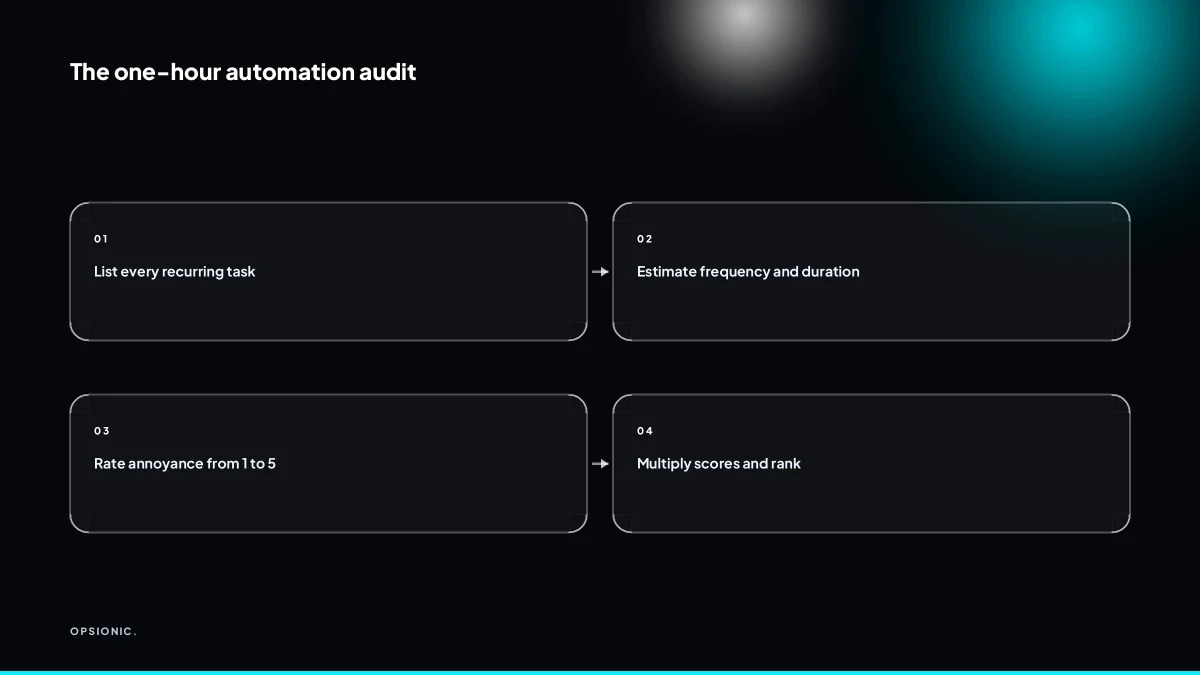
Write down every recurring task you do in a week, then estimate how often each happens, how long it takes, and how much you dislike it. Score each task on those three factors. The task with the highest total score is your best first automation, because it will save the most time and frustration for the least effort.
- List every recurring task. Open your sent folder, your calendar, your notebook. Write down anything you do more than once a month, including small things like forwarding the same email to a colleague or copying an address from one system to another.
- Estimate frequency, duration, and annoyance. For each task, note how many times a week it happens, how many minutes one run takes, and how much you dread it on a scale of one to five. Capture the autopilot tasks too: if you forward the same enquiry email three times a week, that counts.
- Score each task. Multiply frequency by duration to get minutes per week, then add the annoyance score as a tiebreaker. The highest total wins.
| Task | Frequency per week | Minutes per run | Annoyance (1-5) | Total score |
|---|---|---|---|---|
| Forward enquiry emails | 6 | 2 | 2 | 14 |
| Copy quote data into invoice | 30 | 4 | 4 | 124 |
| Chase unpaid invoices | 5 | 10 | 5 | 55 |
Take a five-person firm quoting 30 jobs a month. Each quote means copying client details from an enquiry email into a template, then pasting line items into the invoice later. That is roughly 30 runs a week at four minutes each, plus real annoyance. It scores highest, so it is the first target. Once you have picked one, we build an automation around that single workflow, not a vague bundle of tools.
What scoring method can I use to compare tasks objectively?
Rate each task from 1 to 5 on frequency, duration, and annoyance. Multiply the three numbers together. The highest product wins, because it captures both the time cost and the emotional drain. This turns a vague hunch into a ranked shortlist.
Score each factor from 1 to 5, where 1 means rare, quick or tolerable and 5 means constant, slow or soul-destroying. Then multiply: frequency × duration × annoyance. A task you do daily, for twenty minutes, that you dread scores 5 × 4 × 5 = 100. A quarterly task taking an hour but causing no stress scores 1 × 3 × 1 = 3. The first one is your target.
Here is a worked example with invented figures. Suppose you send invoice reminders manually. You do it three times a week (frequency 4), each batch takes 45 minutes (duration 4), and you find it genuinely irritating (annoyance 4). Score: 4 × 4 × 4 = 64. Now suppose you post to social media daily (frequency 5), each post takes ten minutes (duration 2), and you quite enjoy it (annoyance 1). Score: 5 × 2 × 1 = 10. Invoice reminders win clearly, even though social media happens more often.
Multiplication beats addition because it punishes weak scores. Adding gives 12 for reminders and 8 for social media, a small gap that hides the real difference. Multiplying exposes that reminders are over six times more painful. The emotional weight of annoyance only shows up when it multiplies the time cost.
After you automate the winner, re-score the list. The task that scored 100 may drop to near zero once it runs itself. The next highest product becomes your new target. This is why the real cost of business automation is not the tool, it is the weeks you spend doing work that a scored list would have flagged on day one.
What is this costing you now?
Based on removing half of that time.
What are common first automations for service, e-commerce, and admin-heavy businesses?
Service businesses usually start with appointment reminders or quote follow-ups. E-commerce shops automate order confirmations and inventory updates. Admin-heavy firms automate invoice chasing and data entry between spreadsheets. Each of these is a single trigger-action pair that removes a repetitive, high-frequency task.
For a service business, the shortlist usually looks like this:
- Send an SMS or email reminder 24 hours before each appointment
- Follow up on a quote three days after it was sent, then again at seven days
- Move a new enquiry from a web form into your calendar or CRM
Appointment reminders score highly on frequency because the same message goes out for every booking. The annoyance factor is real too: nobody enjoys typing “just confirming tomorrow at 10” by hand. Quote follow-ups win on duration because writing a polite chase email takes ten minutes you could spend on billable work.
E-commerce shops tend to start with:
- Send an order confirmation and receipt the moment payment clears
- Update stock levels across the shop and any marketplace you sell on
- Flag orders that have not shipped after two days
These are high-frequency by definition. A shop with 40 orders a week sends 40 confirmations. Doing that manually is not just slow, it is error-prone. A missed confirmation leads to a support email, which costs more time than the automation ever would.
Admin-heavy businesses often begin with:
- Send an invoice reminder at 7, 14 and 21 days overdue
- Copy new rows from one spreadsheet into another
- Save email attachments into a specific folder or cloud drive
Invoice chasing scores high on duration because each reminder involves looking up the invoice, checking the due date, and composing a message. Spreadsheet copying is pure repetition: the same columns, the same paste, every single week.
These are starting points, not one-size-fits-all solutions. A service business with no no-show problem may get nothing from appointment reminders. An e-commerce shop that sells digital downloads has no inventory to update. The point of the audit is to find your high scorer, not to copy someone else’s list.
To adapt a common automation to your specific tools, write down the trigger and the action in plain words first. “When a booking is made in Calendly, send an SMS via Twilio 24 hours before.” Then check whether your tools talk to each other. If they do not, a tool like Zapier or Make can sit between them. The sequence is the same whether you run automated appointment reminders for a small business or chase invoices: name the trigger, name the action, then connect the two.
What tools or approaches exist, and how do I avoid overcomplicating a simple fix?
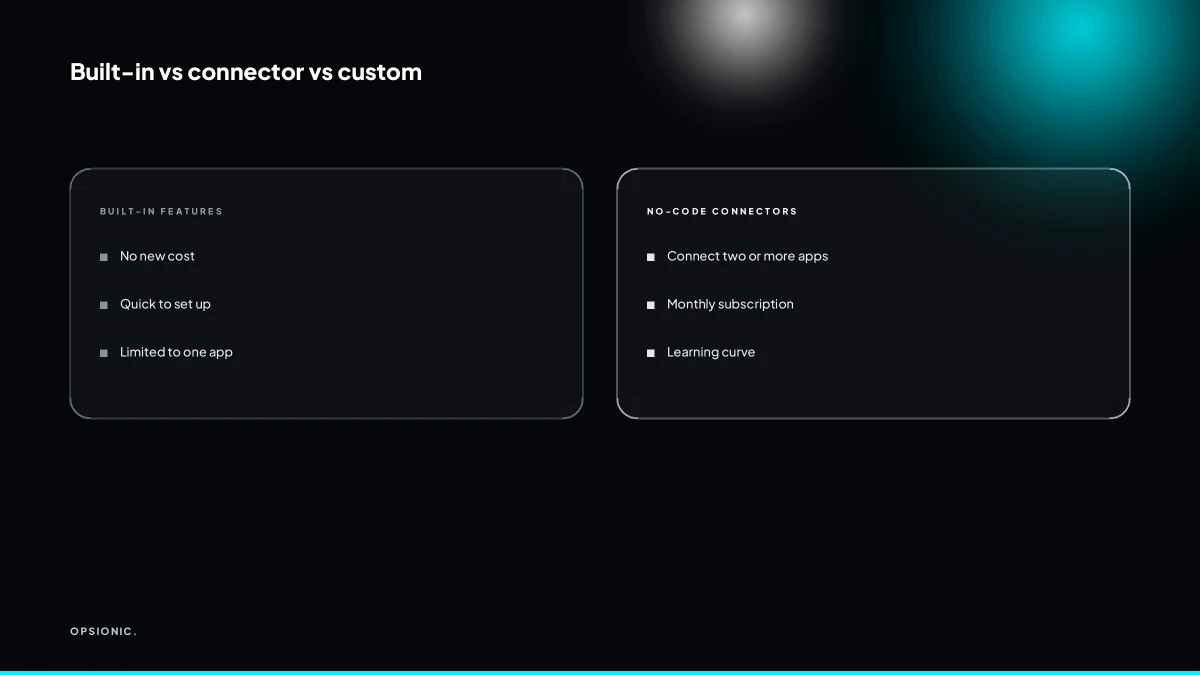
You can automate with a simple built-in feature, a no-code connector like Zapier or Make, or a custom script. Start with the simplest option that solves the problem. If your email client can filter and forward, use that before paying for a new tool. Only reach for a full automation platform when you need to connect two separate apps that do not talk to each other.
Work through the tiers in order. Built-in features cost nothing extra and take minutes to set up: Gmail filters, Outlook rules, recurring invoices in Xero, scheduled posts in your social tool. Connectors like Zapier or Make earn their keep when two apps need to share data. Custom code is the last resort, for when a connector cannot handle the logic or the volume.
| Factor | Zapier | Make |
|---|---|---|
| Ease of first workflow | Very easy | Steeper learning curve |
| Visual builder | Linear steps | Branching and routes |
| Cost at low volume | Higher per task | Often cheaper |
| Best for | Simple two-app links | Multi-step logic |
Before you buy either, ask one question: could a filter in the tool you already use do this? If every invoice from a supplier needs saving to one folder, a Gmail rule solves it in thirty seconds. If you are drawing a flowchart with ten boxes to handle a task that happens twice a month, stop. You are overcomplicating it.
The danger is buying a tool before you have defined the process. You sign up for a connector, watch tutorials, build a test, and only then realise the trigger does not fire the way you thought. By then you have spent an afternoon and a subscription. Write the process in plain words first, then choose the tier. If you want a broader view of what is available, read about Zapier alternatives that make sense for a small business before committing to anything.
Want this running in your business next week?
A relaxed 20-minute video chat. Camera on or off. You leave with a plan whether or not you hire us.
- No call unless you ask for one
- From EUR 399 a month, no setup fee
- Built and run for you, not handed over as homework
Sources we checked
Questions people ask
What is the easiest thing to automate in a small business?
Anything with a fixed trigger and a fixed result. Sending an appointment reminder 24 hours before a booking, saving email attachments to a folder, or copying new spreadsheet rows into an invoice template all qualify. If you can describe the task in one sentence without the word sometimes, it is usually easy to automate.
Can I automate without paying for a tool?
Sometimes. Some tools include built-in rules, such as email filters or spreadsheet triggers, at no extra cost. Once you need two separate systems to talk to each other, you usually need a paid connector, and most charge per month. Compare that fee against the minutes the task costs you each week.
How do I know if an automation is worth the monthly fee?
Put a number on the task. Multiply how often it happens by how long one run takes to get minutes per month, then decide what an hour of your time is worth. If the tool costs less than the time it removes, it pays. Recheck after three months, because the saving only holds if the task stays frequent.
What if I automate a task and then the process changes?
Expect it. Rules drift when a supplier changes, a form gains a field, or a client asks for something different. Build the automation so a person can step in when a case falls outside the rule, and review it every few months. A stale automation that quietly fails is worse than no automation.
Is it better to automate one big task or several small ones?
Start with one. A single workflow is easier to test, easier to fix, and gives you a clear before-and-after number. Once it runs reliably for a few weeks, score your list again and take the next highest. Several small automations built at once tend to break at once.
Do I need to know how to code to automate my business?
No. Most small business automations are built by connecting two tools you already use and choosing a trigger and an action from a list. Coding helps when a system has no connector, or when the rule involves calculations. That is the point where a specialist earns their fee.
How much time does it take to set up a first automation?
The audit itself takes about an hour. Building a simple two-step workflow usually takes another hour or two, including testing. Anything touching invoicing, payments or customer records takes longer, because you need to check the edge cases before it goes live.