Who Owns the Automation You Paid For?
Who owns your automations agency? In most cases, whoever controls the accounts and servers owns the automation. If the workflow runs in your accounts, you usually own it. If it runs on the agency's server, you may only have a licence. Check your contract and admin access before you pay.
Who owns the automation if it runs in my accounts?
If the automation runs inside accounts you control, such as your Google Workspace, Zapier or n8n instance, you usually own the workflow. The agency may hold a copyright in the original configuration, but you have the right to use, modify and export it. Confirm this in writing before work begins.
The distinction that matters is between owning the source and owning the running instance. The source is the configuration itself: the triggers, the field mappings, the scripts. The running instance is the live copy sitting in your account, doing the work every day. An agency can hold copyright in the source while you hold full control of the running instance. In practice, control of the running instance is what keeps your business moving.
Account ownership usually means workflow ownership because the workflow lives inside your infrastructure. You pay for the tools. You hold the login. If the agency disappears tomorrow, the automation keeps running because it never depended on their systems. You can open it, read it, change a step, or export it to another tool. That is the position you want.
What to demand in the contract, in writing:
- You own the running instance and all data it produces.
- You have a perpetual, royalty-free right to use and modify the configuration.
- The agency assigns you the IP in the build, or grants a licence wide enough that assignment makes no practical difference.
- You receive the export file or documentation needed to rebuild it elsewhere.
Before you sign, work through the questions in what to ask an automation agency before you sign. A one-line clause about IP assignment saves more trouble than any feature list.
What if the automation runs on the agency’s server?
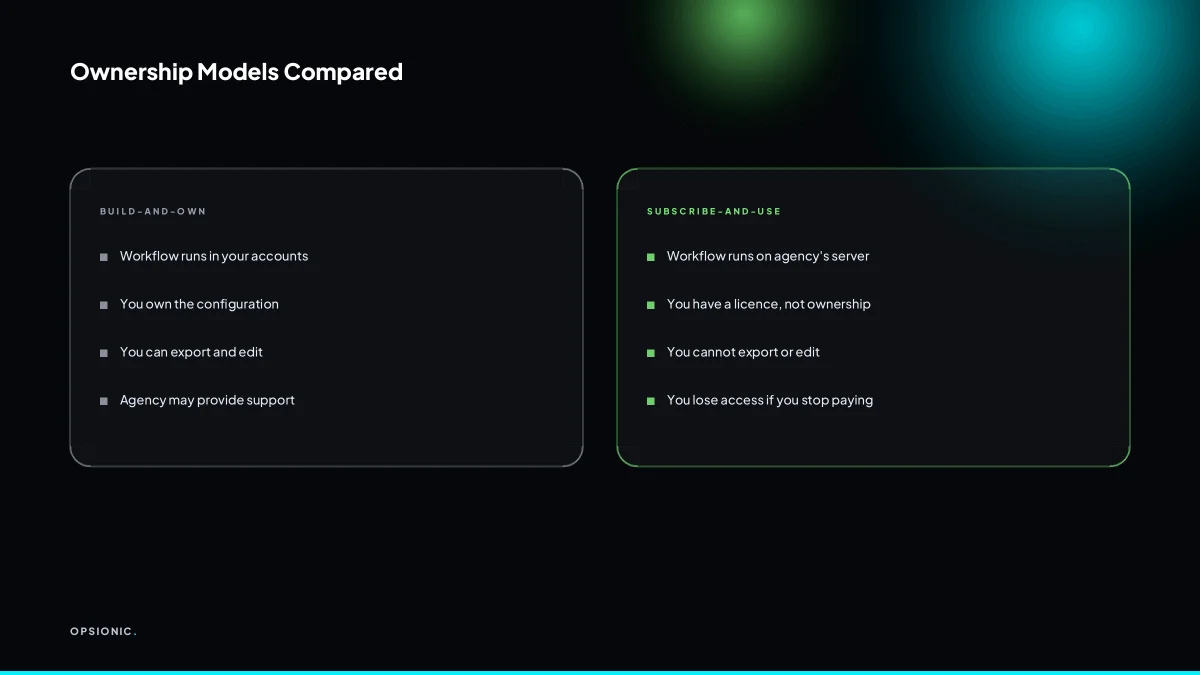
When the agency hosts the automation on its own private server or no-code platform account, you may not own anything beyond a subscription licence. You can use the automation while you pay, but you cannot take the workflow, the data or the account with you if you leave. This is the classic lock-in model.
Build-and-own means the automation lives on infrastructure you control, or you hold the export and can rebuild it elsewhere. Subscribe-and-use means you rent access to a running system. The first costs more up front but leaves you with the asset. The second is cheaper to start but the asset belongs to whoever runs the server.
Licence agreements hide in plain sight. Look for phrases like “non-transferable”, “revocable”, “for the duration of the subscription”, or “account remains property of the provider”. A clause that says you may “use” the service, rather than “own” the automation, is a licence. A clause that says data exports are “available on request” without a stated format or timeframe is not a guarantee.
Before signing, ask three questions. What format is the export in, and can I test it before I commit? Who owns the automation account if the agency closes? If I stop paying, how long do I have to retrieve my data and workflow? Get the answers in writing. Compare what different pricing structures actually transfer to you in automation agency pricing models.
Not sure which of these applies to you?
Answer six questions and see what we would automate first in your business, and what it is worth.
What does Opsionic’s ownership setup look like?
Opsionic builds automations inside your accounts wherever possible. You own the workflow and the data. We document every step and hand over admin access. If you host on our managed server, you still own the workflow and data, and you can export both at any time. No hostage taking, no hidden licence.
The build-and-own model means we do the technical work in tools you control. If a workflow runs in your Make, n8n or Zapier account, you can open it, edit it, pause it or delete it without asking us. The same applies to connected apps: your Google Sheets, your CRM, your email. We configure, you hold the keys.
When you choose managed server hosting from us, the server is ours but the automation is not. You get:
- Admin access to the automation platform, not a read-only view
- Exports of every workflow in a standard format you can import elsewhere
- Copies of your data on request, at any time, including while the contract runs
If you leave, we export and hand everything over. You take the workflow and the data. What you do not take is our time, our documentation or our server. That split is the point: you own the asset, we sold the labour.
What happens if the agency disappears or stops responding?
If the agency goes out of business or goes quiet, you lose access to anything running on their accounts. You may not be able to edit, pause or even view the automation. Your business processes stop, and you may have no way to retrieve the configuration or the data. That is why account control matters from day one.
When the agency holds the keys, the failure is silent until a payment fails, a lead stops arriving, or a client asks why nobody replied. The automation keeps running on a server you cannot reach. You cannot fix it, copy it, or turn it off cleanly. The symptom is a workflow that still fires but is now untouchable, and a support email that bounces.
The fix is a standing export, not a promised one. Ask for a monthly ZIP of every workflow in a standard format, plus a copy of any database or spreadsheet the automation writes to. Store it somewhere you control. If the agency vanishes, you have the last known configuration and the data it produced. You lose only the time between the last export and the failure.
Without a documented handover, you also lose the logic. The contract should state who owns the account, where backups live, and what happens to your data if the agency cannot be reached for 30 days. Most agencies will not volunteer this. You have to ask before you sign. That is one of the questions to ask an automation agency before you sign, and it matters more than the build price.
What is this costing you now?
Based on removing half of that time.
Who owns the data that flows through the automation?
Data ownership is separate from workflow ownership. Under GDPR, you are the data controller for your customer and employee data, regardless of where the automation runs. The agency is a processor. Your contract must state that all data belongs to you, and you must be able to export or delete it on request.
That split matters because automation moves data between tools. A lead enters your form, lands in a CRM, then triggers an email and a row in a spreadsheet. At each step the data is yours. The agency that built the flow has access, but not ownership. The controller decides why data is collected and what happens to it. The processor follows instructions.
Make the contract say it plainly. A clause like “all data processed by the agency belongs to the client” sounds obvious, but its absence causes real problems later. You also want the right to take your data with you if you leave. Think of it as automating without breaking GDPR, not as a legal formality.
Export and deletion should be simple to request. Ask for a written procedure before you sign. A reasonable agency will send you a CSV, a database dump, or direct tool access within a few working days. Deletion should cover live systems and backups. If the answer is vague, treat it as a warning.
What should I demand in writing before I sign?
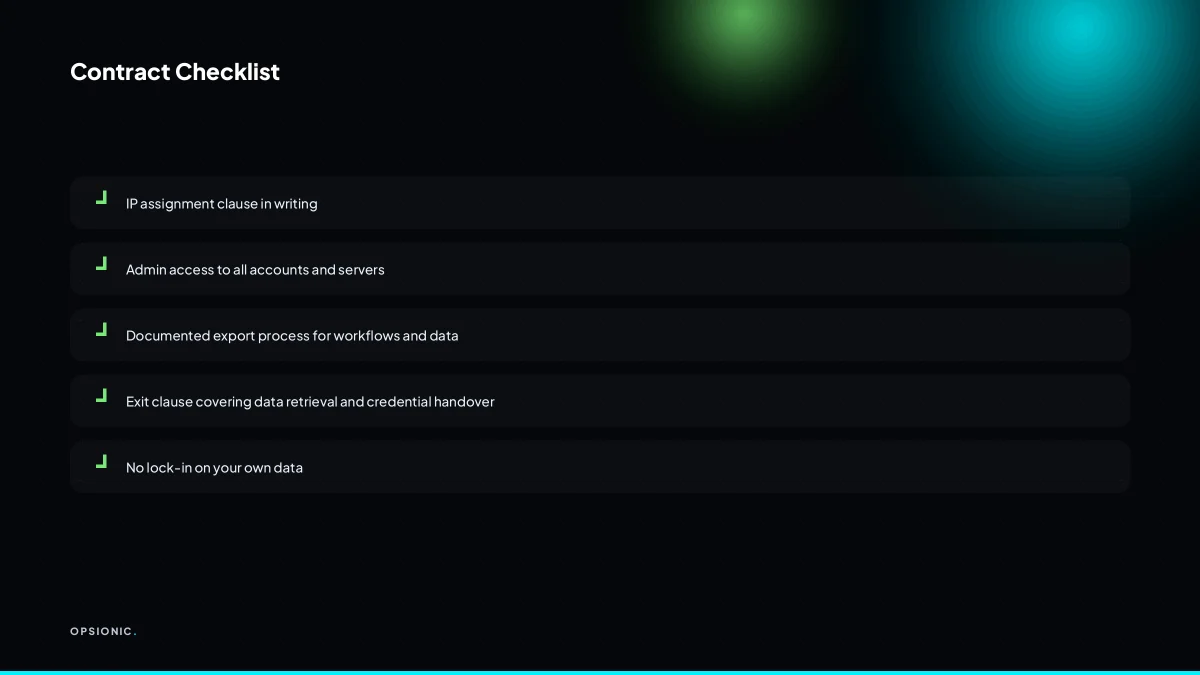
Ask for a written IP assignment clause, admin access to every account and server, a documented export process, and an exit clause that covers data and credentials. If the agency hesitates on any of these, treat it as a red flag. A reputable builder will be happy to put these terms in the contract.
Four clauses do most of the work. First, an IP assignment clause that transfers ownership of the workflows, scripts and configurations to you on final payment. Second, an admin access clause naming you as owner or super admin on every account the agency creates. Third, a documented export clause stating what format you receive and how long it takes. Fourth, an exit clause covering data, credentials and deletion from live systems and backups.
Before you sign, ask for this checklist and tick every line:
- I have admin or owner access to the automation platform account.
- I have admin access to any connected third party tools, such as Google Workspace, Slack or the CRM.
- I have login details for any private server or hosting panel the agency uses.
- The contract names me as owner of all workflows, scripts and configuration files.
- The contract states the export format, for example CSV, JSON or a database dump.
- The contract gives a written procedure for requesting export and deletion.
- The contract covers deletion from backups, not just live systems.
- The agency has shown me a sample export from a test workflow before I sign.
Testing the export process is simple. Ask the agency to build one small workflow on a trial basis, then request a full export. You want the workflow definition, the credentials list and the data. If they cannot produce it cleanly, walk away. This is the same discipline we apply when we build an automation, because ownership should never be a favour you have to ask for later.
Want this running in your business next week?
A relaxed 20-minute video chat. Camera on or off. You leave with a plan whether or not you hire us.
- No call unless you ask for one
- From EUR 399 a month, no setup fee
- Built and run for you, not handed over as homework
Sources we checked
Questions people ask
Can I take my automation with me if I leave the agency?
Only if you have admin access to the accounts where it runs and a documented export process. If the agency hosts it on their own server, you may only hold a subscription licence. Ask for a written export clause before you sign.
What format should I ask for when exporting my workflow?
Ask for the native export format of the tool, such as a JSON file for n8n or a Zapier export, plus a CSV or database dump of any data it writes to. Test the export on a small workflow before you commit.
Does the agency own the code if they built it for me?
By default, the agency may hold copyright in the original configuration. You need an IP assignment clause that transfers ownership to you on final payment, or a perpetual royalty-free licence to use and modify it.
What if the agency uses a no-code platform like Zapier or Make?
If the workflow runs in your own Zapier or Make account, you usually own the running instance. If it runs in the agency's account, you may only have a licence. Insist on admin access to your own account.
How do I know if my current contract has an IP assignment clause?
Look for words like assign, transfer, ownership, or work made for hire. If the contract only says you may use the automation, it is a licence, not ownership. Ask a lawyer to review the clause before you sign.
Can I host the automation myself after the agency builds it?
Yes, if you have the export file and admin access. You can import the workflow into your own server or no-code account. Confirm in writing that the agency will provide the export and any credentials you need.
What happens to my data if the agency goes bankrupt?
Without a standing export, you may lose access to data stored on the agency's systems. Ask for a monthly export of all workflows and data, stored somewhere you control. The contract should cover deletion from backups too.