Automate Client Onboarding for Your Small Business
Automating customer onboarding for your small business means connecting the steps after a yes: contract, intake, scheduling, welcome email. You can automate four of the eight core tasks safely, keep two human, and stop losing evenings to admin. This page maps the exact sequence and tools.
What exactly is client onboarding automation for a small business?
Client onboarding automation is a connected sequence that moves a new client from signed agreement to first meeting without manual forwarding, copying or chasing. It uses triggers and templates so the contract, intake form, welcome email and scheduling happen in order, while you only step in for the human moments.
Strip it back and onboarding is eight jobs. One: send the contract. Two: collect the signed copy. Three: send the intake form. Four: file the answers somewhere you will actually look. Five: send the welcome email with next steps. Six: book the kickoff meeting. Seven: create the project folder or job record. Eight: tell whoever does the work that the client is live. A checklist keeps those jobs visible. Automation makes four of them fire on their own: the form goes out when the signed contract lands, the folder appears when the form is submitted, the welcome email sends when the folder exists, and the calendar link is inside that email. The other steps stay human because they carry judgement: reading the intake answers, deciding who handles the work, writing a line that sounds like you.
Small firms leak time here because the steps are small. Copying a name into a folder takes ninety seconds. So does forwarding a signed PDF. Nobody notices the leak until a new client waits three days for a form that was sitting in someone’s drafts. That is where automation services earn their keep: the sequence runs even when you are on site with another client.
Which onboarding tasks are safe to automate and which are not?
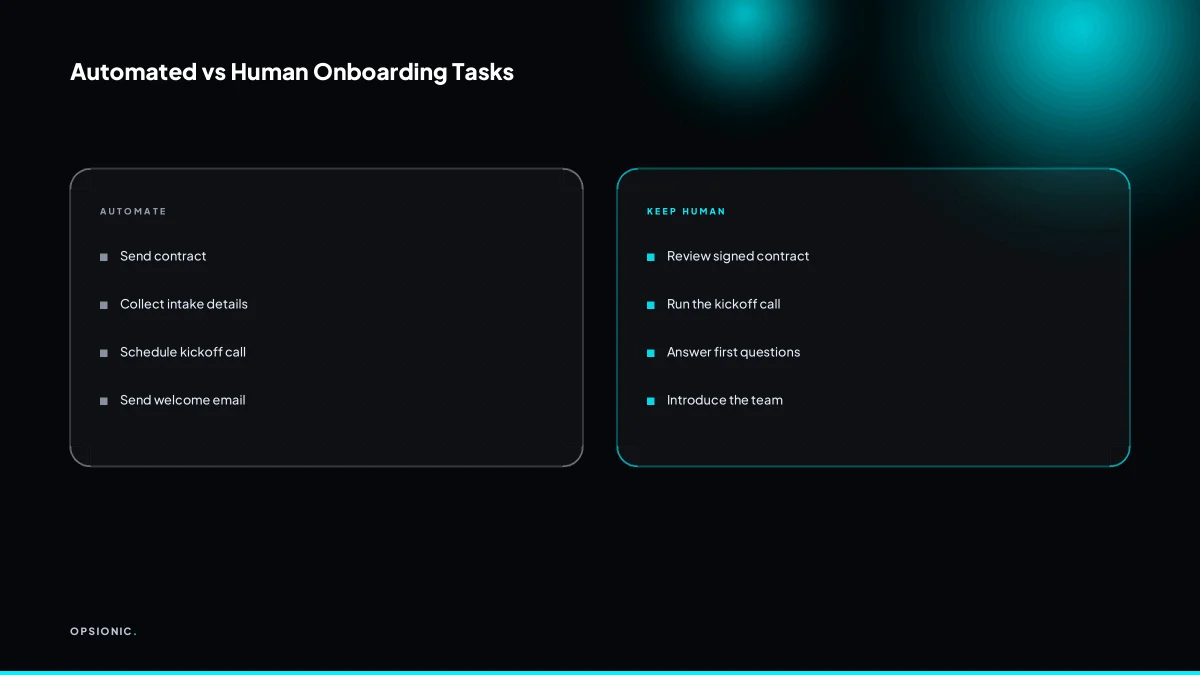
Safe to automate: sending the contract, collecting intake details, scheduling the kickoff, and sending the welcome sequence. Not safe: reviewing the signed contract with your own eyes, and running the kickoff call itself. Those two are where trust is built, so they stay human on purpose.
The four that fire automatically handle logistics, not judgement. When a prospect says yes, the system sends the contract, waits for the signature, then collects intake details through a short form. Once that form is submitted, the kickoff lands on your calendar and the welcome sequence starts. None of these steps need your attention, and all of them stall without it.
The two that stay human are the moments a client remembers. You review the signed contract to catch a wrong address or a scope that changed during negotiation. You run the kickoff call to hear how the client describes the problem in their own words. A form cannot do either.
For anything else, ask one question: does this step require my judgement or my voice? If the answer is no, automate it. If you are unsure where to start, what tasks should a small business automate first walks through the same filter in more detail.
| Task | Safe to automate? | Why |
|---|---|---|
| Send the contract | Yes | No judgement needed once the terms are set |
| Collect intake details | Yes | A form captures the same data every time |
| Schedule the kickoff | Yes | Calendar tools handle this without back-and-forth |
| Send the welcome sequence | Yes | Timing matters, not tone |
| Review the signed contract | No | You must verify what was actually signed |
| Run the kickoff call | No | Trust is built in conversation, not in a template |
That split keeps onboarding fast without making it feel mechanical. The client gets instant responses to paperwork, then a real person at the two moments that shape the relationship.
Not sure which of these applies to you?
Answer six questions and see what we would automate first in your business, and what it is worth.
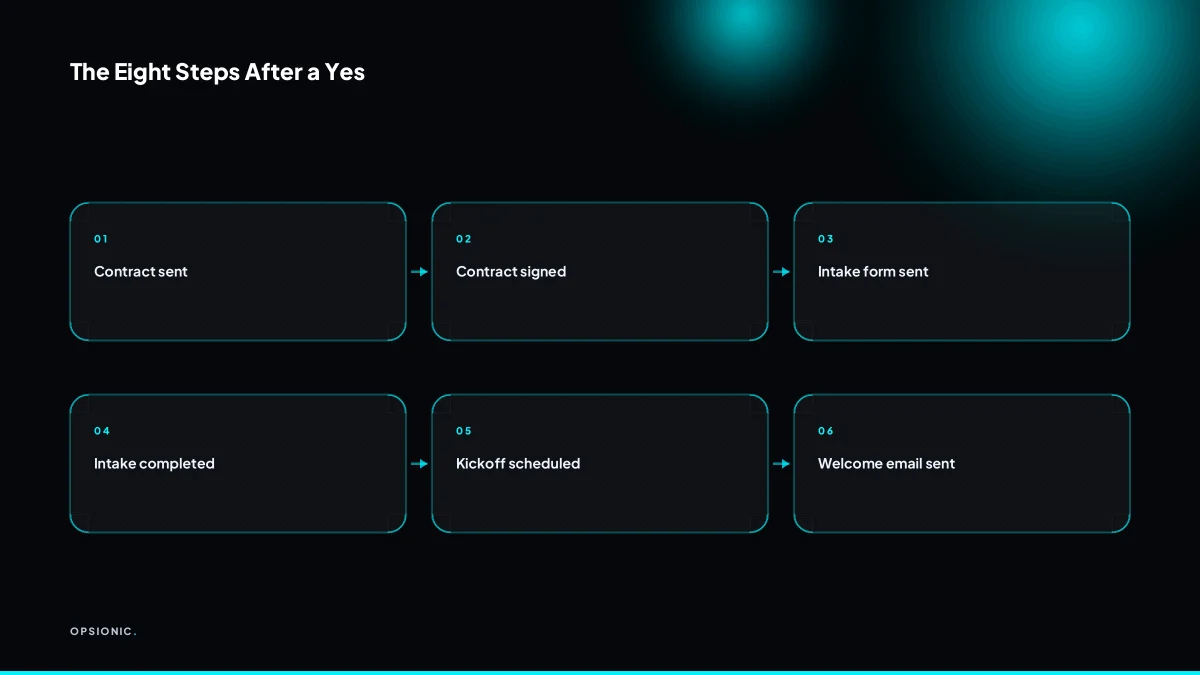
What does a typical automated onboarding sequence look like from signed contract to first meeting?
A typical sequence starts when the contract is signed. The system creates a client record, sends the intake form, books the kickoff call, and sends a welcome email with next steps. Each step triggers the next, so nothing waits for you to remember it.
- Detect the signed contract. Your e-signature tool fires a webhook the moment both parties have signed. That single event is the trigger for everything downstream.
- Create the client record. The automation pulls name, company, email and plan from the signed document and writes it into your CRM or a simple Airtable base. No copy-paste, no typo from a rushed Friday afternoon.
- Send the intake form. The client receives a short form asking for the details you actually need before the first meeting: current tools, login access, the one problem they want solved first. The form link is personalised, so it arrives already half-filled with what you know.
- Book the kickoff call. Your scheduler offers two or three time slots from your calendar. The client picks one, and the event is created with the intake answers attached to the invite.
- Send the welcome email. A plain, warm email confirms the meeting time, links the intake form again, and lists the two things to have ready. It also names the human who will run the call.
- Human checkpoint: review the intake form. Before the meeting, you read the answers. If something is missing or looks odd, you ask one follow-up question by email. This is where how we build an automation matters less than what you do with the information it collects.
- Human checkpoint: run the kickoff call. The call itself stays human. You confirm scope, set expectations, and agree what the first week looks like. The automation has done the admin; you do the relationship.
Which specific tools can a small business use without a full time developer?
You can use Zapier or Make to connect tools you already know: DocuSign or PandaDoc for contracts, Calendly or Acuity for scheduling, Google Forms or Typeform for intake, and Gmail or your CRM for the welcome email. No code is required, just clear triggers and templates.
The stack below covers a typical signed-to-started sequence. Pick one tool per row, or keep the ones you already pay for. The connector is the only piece that has to be new.
| Step | Tool options | What it does in the sequence |
|---|---|---|
| Intake form | Google Forms, Typeform | Collects names, addresses, service details and any files the client wants to attach. |
| Scheduling | Calendly, Acuity | Lets the client book the kickoff call without email tennis. |
| Contract and signature | DocuSign, PandaDoc | Sends the agreement, chases the signature, and stores the signed copy. |
| Welcome email | Gmail, your CRM | Confirms next steps and tells the client what to prepare before the call. |
The connection layer is Zapier or Make. One trigger, say a signed DocuSign envelope, fires the next step: a Calendly link goes out, a CRM record is created, the welcome email sends. You build the sequence once and it runs for every new client. If Zapier feels overpriced for the volume you have, Zapier alternatives that make sense for a small business are worth checking before you commit.
What is this costing you now?
Based on removing half of that time.
How do you avoid sounding cold or robotic when automating client communication?
Write your automated messages the way you speak, use the client’s name and project details from the intake form, and keep the welcome email short and specific. Then add one personal line by hand before the kickoff call. Automation carries the logistics, not the relationship.
Personalisation fields matter most when they are specific to the job. A first name is the minimum. Better: the service they bought, the date they signed, their city, and the name of the person who will handle their account. These details come from the intake form or the signed agreement, so the message reads as a reply to them, not a blast to everyone.
A template that reads like a human wrote it has three traits. It is under four sentences. It names the next step and who does it. It avoids phrases like “we are excited to begin” or “your business is important to us”. For example: “Hi Maria, your landscaping maintenance plan starts 3 June. I have attached the site notes and a link to book the walkthrough. Any questions before then, just reply here.”
The one manual touch that makes it warm is a single added line before the kickoff call. Read the intake form, then type one sentence about their actual situation. “Noticed you mentioned the drainage issue near the shed, we will look at that first.” Ten seconds of typing, and it changes the whole tone. The same logic applies to follow-up sequences: automation handles the timing, but the wording should sound like a quote follow-up you would actually send yourself.
What are the common mistakes people make when automating onboarding?
The most common mistakes are automating everything, sending the contract before the intake form, using a generic welcome email, and never testing the sequence with a fake client. These errors make new clients feel processed instead of welcomed, and they can break trust in the first week.
Automating the kickoff call
Symptom: the client books a slot, then receives three reminder emails, a calendar invite, and a Zoom link with a password. Nobody has spoken to them yet, but the system has already demanded four actions. The fix is to leave the scheduling alone but write the confirmation yourself, or at least edit the template so it mentions one thing you already know about them.
Wrong order of steps
Symptom: the contract lands in their inbox before they have told you anything about the job. They now have to sign a legal document to unlock a form that asks basic questions. The fix is to send the intake form first, then the contract, then the payment link. Each step should feel like a consequence of the one before, not a toll booth.
No test run before going live
Symptom: the first real client gets a welcome email addressed to “{{first_name}}” or a task assigned to a team member who left six months ago. The fix is to run the whole sequence once with a fake client using a test email address. Click every link, fill every field, and check what lands where. This is the same discipline you would apply to any automation you pay to build, and it costs nothing but an afternoon.
Want this running in your business next week?
A relaxed 20-minute video chat. Camera on or off. You leave with a plan whether or not you hire us.
- No call unless you ask for one
- From EUR 399 a month, no setup fee
- Built and run for you, not handed over as homework
Sources we checked
Questions people ask
How much does it cost to automate client onboarding for a small business?
Managed automation from Opsionic starts at EUR 599 a month, or EUR 399 a month for a single workflow, with no setup fee and a six-month initial term. Larger projects get a fixed quote on a free planning chat. Tool subscriptions such as Zapier, Calendly or DocuSign are billed separately by those vendors.
Can I automate onboarding if I use paper contracts or PDFs?
Yes, but the trigger changes. Instead of a webhook from an e-signature tool, you watch a shared folder or inbox for the signed PDF, then start the sequence from there. Moving to an e-signature tool removes that manual step, but it is not required to begin.
What is the fastest onboarding task to automate for quick wins?
Scheduling the kickoff call. Replace email back-and-forth with a calendar link, and the client books a slot the moment they are ready. It takes an afternoon to set up and removes the most common delay between a signed contract and a first meeting.
Do I need a CRM before I can automate onboarding?
No. A simple Airtable base or a Google Sheet can hold the client record while you test the sequence. Move to a CRM when you have enough clients that searching a spreadsheet costs you time. The automation logic stays the same either way.
How do I handle clients who do not fill in the intake form?
Send one reminder after two working days, then a second after five. If it is still empty before the kickoff call, ask the questions live and type the answers yourself. The form is a convenience, not a gate, and the call should never be cancelled over it.
Can automation work for a one-person service business?
Yes, and the payoff is proportionally larger. When you are the only person doing the work, admin competes directly with billable hours. Automating the contract, intake form and scheduling gives you back the time you would otherwise spend copying details between tools.
What if my onboarding process changes often?
Build the sequence in steps rather than one long chain. Each step has its own trigger, so you can swap the welcome email or add a new form without rebuilding everything. Review the sequence every few months and change one step at a time.