Is Business Automation Worth It? Run the Payback Sum First
Business automation is worth it when the hours you save each month are worth more than what you pay to build and run the automation. Calculate your loaded hourly cost, multiply it by the hours a task eats each month, then subtract build cost and monthly fees. If the number is positive, automate. If not, don't.
What does automation actually save you in a month?
Automation saves the hours you currently spend on repetitive manual tasks. To see if that matters, multiply the hours per month by your loaded hourly cost, which is what an hour of your working time truly costs the business, including salary, taxes, equipment, and overheads.
Loaded hourly cost is not your take-home pay. A rough formula: annual salary, plus taxes and benefits, plus a share of rent, software, and kit, divided by the hours you actually work on client or admin work. If you pay yourself EUR 45,000 a year and add 30 percent for overheads, you are close to EUR 29 an hour before any profit.
- Copying order details from a web form into an invoice: 5 minutes each
- Chasing a quote by email, then logging the reply: 8 minutes each
- Creating a job folder, renaming files, and saving attachments: 10 minutes each
- Reminding a client about an appointment: 4 minutes each
To estimate monthly hours saved, count how many times you do the task in a week, multiply by the minutes, then multiply by four. Twenty invoice entries at five minutes each is 100 minutes a week, or about six and a half hours a month. If you are unsure which tasks to count first, this list of tasks worth automating gives you a short starting set.
How do I calculate my loaded hourly cost?
Your loaded hourly cost is your annual total cost to the business divided by the hours you actually work on revenue or operations. Add salary, employer taxes, benefits, software, equipment, and a share of overheads. Then divide by annual working hours, not by 52 weeks times 40 hours.
- Write down your annual gross salary or the amount you pay yourself. If you are a sole trader, use what you would have to pay someone else to do your job.
- Add employer taxes and mandatory contributions for your country. In many parts of Europe this is often 20 to 30 percent on top of gross salary, but check your local rules. Forgetting this is the most common mistake.
- Add benefits, software subscriptions, equipment and a share of overheads. Include your accounting software, phone, laptop, office rent, insurance and anything else the business pays so you can work.
- Estimate your real annual working hours. Start with 52 weeks, subtract holidays, sick days and admin days, then subtract the hours you spend on non-billable work like quoting, training or fixing your own tools. Do not use 2,080 hours.
- Divide the total annual cost by the real hours. That is your loaded hourly cost.
Worked example: a sole trader pays themselves EUR 48,000 gross. Employer taxes add EUR 12,000. Software, equipment and overheads add EUR 6,000. Total cost is EUR 66,000. They actually work 1,600 hours a year after holidays, sick days and admin. Loaded hourly cost is EUR 41.25.
A rough number is still better than guessing. If you estimate your loaded hourly cost at EUR 40 and it is really EUR 55, you will still spot the automations that pay for themselves in a month. If you guess at EUR 15 because you only counted take-home pay, you will reject good automations and keep doing cheap admin by hand.
Not sure which of these applies to you?
Answer six questions and see what we would automate first in your business, and what it is worth.
What are the real costs of automation?
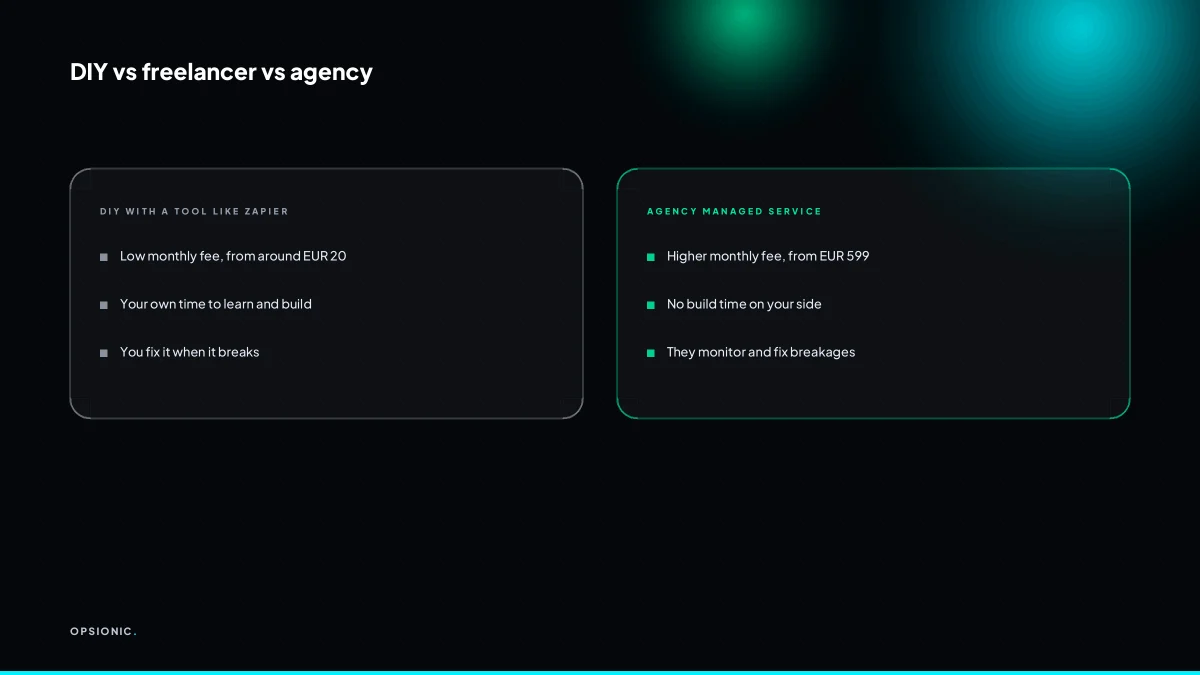
Automation costs break into three parts: the one-time build cost, the monthly subscription for the tools, and the ongoing maintenance. Build cost could be your own time, a freelancer’s fee, or an agency project. Monthly fees vary from around EUR 20 for DIY tools to several hundred for managed services.
The build cost is the biggest variable. If you do it yourself, you pay with evenings and weekends. A freelancer might charge a few hundred EUR for a simple workflow. An agency project starts higher because you are also paying for someone to think through edge cases, error handling and documentation.
Subscription costs sit on top. A basic automation tool starts at around EUR 20 a month at the time of writing, but check the vendor’s own pricing page because tiers change. If the automation touches a paid app, such as an invoicing or scheduling tool, that subscription counts too. Maintenance is the quiet cost: tools change their interfaces, a step breaks, and someone has to fix it. Budget a small monthly amount or a few hours per quarter unless you enjoy debugging at 9pm.
| Route | Build cost | Monthly cost | Best for |
|---|---|---|---|
| DIY | Your time, 5 to 20 hours | EUR 20 to EUR 80 | One simple workflow you can maintain |
| Freelancer | EUR 300 to EUR 1,500 | EUR 20 to EUR 100 | One workflow, built once, minor upkeep |
| Agency | EUR 1,500 to EUR 5,000+ | EUR 100 to EUR 600+ | Several connected workflows, ongoing support |
The table only makes sense against your hourly sum from the previous section. A freelancer build at EUR 800 looks expensive until it removes ten hours a month at EUR 40. That breaks even in two months. The same build is a bad purchase if it saves you one hour a month. For a fuller breakdown of build fees by route, see what one automation actually costs.
How do I run the payback calculation?
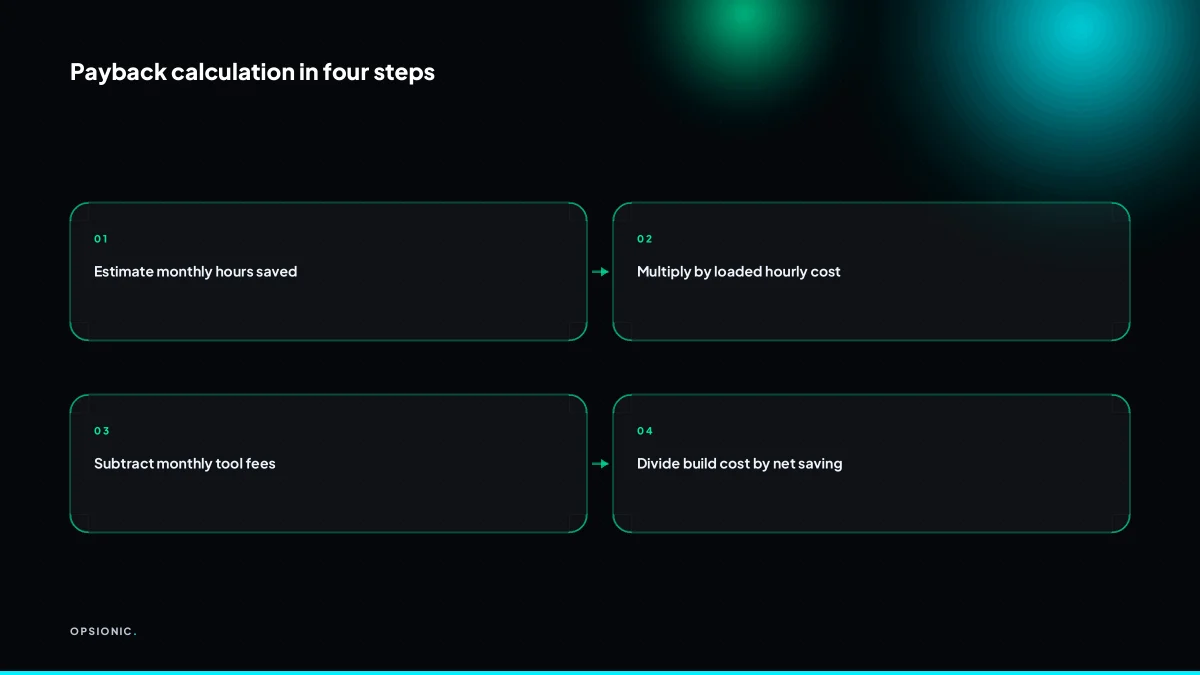
Payback period is the build cost divided by the net monthly saving. Net monthly saving is the hours saved times your loaded hourly cost, minus the monthly tool fees and a small maintenance allowance. If the payback is under six months, automation is usually worth it. If it is over a year, think twice.
Here is a worked example, with invented but realistic figures. A five-person electrical firm quotes 30 jobs a month. Each quote goes through the same routine: type the customer details into a document, email it, log it in a spreadsheet, then chase the customer three days later if there is no reply. The owner spends about 12 hours a month on this. Her loaded hourly cost, including tax, pension and the admin time she could otherwise spend on paid work, is EUR 45. The hours saved are worth EUR 540 a month.
The automation build costs EUR 1,200. The tools it runs on cost EUR 25 a month. She allows EUR 20 a month for checking the logs and fixing the odd failed step. Net monthly saving is EUR 540 minus EUR 45, which is EUR 495. Payback is EUR 1,200 divided by EUR 495: just under two and a half months. That is a clear yes.
The formula in plain words: take the hours you will stop doing by hand. Multiply by what an hour of your time actually costs the business. Subtract the monthly fees for any tools and a modest allowance for keeping the automation running. Divide the one-off build cost by that number. The result is the number of months before the automation has paid for itself.
Hour estimates are where people fool themselves. If you think a task takes four hours a month, time it for two weeks before you commit. If the real number is two hours, your payback doubles. A sensible check is to run the sum with your best guess, then again with half the hours. If the half figure still pays back within six months, the decision is robust. If it only works at the optimistic estimate, the honest answer is probably no. For a wider look at the costs that sit behind this sum, see the real cost of business automation.
What is this costing you now?
Based on removing half of that time.
When is business automation not worth it?
Automation is not worth it when a task happens rarely, changes often, needs human judgement every time, or would cost more to automate than it saves. If you only do a task once a month for ten minutes, even a free tool may not justify the setup and maintenance effort.
Before you build anything, run these checks. If you cannot tick every box, say no for now.
- Frequency check: The task happens at least weekly, not monthly or quarterly.
- Volume check: Each run takes at least 15 minutes, or involves more than five manual steps.
- Stability check: The steps have not changed in the last three months and are unlikely to change soon.
- Judgement check: A clear rule produces the right outcome at least 90 percent of the time, with no human reading between the lines.
- Cost check: Hours saved per month times your loaded hourly cost is greater than the monthly tool fee plus one hour of upkeep.
Poor candidates are easy to spot. Replying to a one-off tender, chasing a late payment from a single client, or updating a price list twice a year all fail the frequency check. Writing a personalised proposal for a complex project fails the judgement check. Migrating data between two systems you will replace next quarter fails the stability check.
The biggest trap is automating a process that is already broken. If you send invoices late because you avoid the software, an automatic reminder will just send late invoices faster. Fix the process first, then automate what remains. A bad workflow scaled by software is still a bad workflow.
What goes wrong after you automate?
Automations break when a connected app changes its interface, an API limit is hit, or a password expires. They also drift as your business changes. Budget for monitoring and fixes, and expect to review each automation every few months. Subscription creep is another hidden cost: small monthly fees add up.
Silent API failure
A tool you rely on changes its interface overnight. The automation keeps running, but the data lands in the wrong field or not at all. You notice when a customer asks why their invoice says EUR 0. The fix is a monthly test run with a known dummy record, not a check of the dashboard.
Expired credentials
A password reset or a departed employee kills the connection. The symptom is an automation that was fine last week and dead today. Store credentials in a password manager shared by at least two people, and set a calendar reminder to rotate them before expiry.
Rate limits and usage caps
Your workflow hits a free plan limit at 100 tasks and stops mid-batch. Half your quotes go out, half do not, and you only find out when a lead chases you. Read the limits before you build, and set an alert when usage passes 80 percent of the cap.
Maintenance drift
Your offer changes, your intake form changes, your team changes. The automation does not. It keeps sending the old booking link or tagging the old owner. Schedule a twenty-minute review every quarter. Open the workflow, run one real record through it, and check the output line by line.
Subscription creep
One connector here, one add-on there. Each costs EUR 10 to EUR 30 a month, and none feels worth cancelling alone. Together they outgrow the time they save. Keep a single list of every paid tool with its monthly cost, and review it whenever you review what you automate. Cancel anything that has not run in thirty days.
Want this running in your business next week?
A relaxed 20-minute video chat. Camera on or off. You leave with a plan whether or not you hire us.
- No call unless you ask for one
- From EUR 399 a month, no setup fee
- Built and run for you, not handed over as homework
Sources we checked
Questions people ask
How much time do I need to save each month for automation to be worth it?
Enough that hours saved times your loaded hourly cost beats the monthly tool fee plus about an hour of upkeep. At EUR 40 an hour, a EUR 25 a month tool needs roughly one hour saved a month to break even, and the build cost needs a payback under six months.
Is Zapier worth it for a small business with only a few repetitive tasks?
It depends on volume, not on how clever the tool is. A basic automation plan starts at around EUR 20 a month at the time of writing, so check the vendor's own pricing page. If your few tasks only take an hour a month, the fee may never pay back.
What hidden costs should I watch for when automating?
Three main ones: the paid apps the automation touches, which carry their own subscriptions, maintenance when a step breaks or an interface changes, and subscription creep as small monthly fees accumulate. Budget a modest monthly allowance for fixes and review each automation every few months.
Can I automate a task I do only once a week?
Yes, if each run is long enough. A weekly task taking 15 minutes or more, or involving more than five manual steps, is usually worth it. A weekly task taking four minutes rarely clears the monthly tool fee and the upkeep.
How do I account for errors or breakages in my automation savings?
Subtract a maintenance allowance from the monthly saving before you divide the build cost by it. A figure of EUR 20 a month, or a few hours a quarter, is a reasonable starting allowance. If the payback only works without that allowance, treat the project as marginal.
What is a realistic payback period for a small business automation project?
Under six months is a comfortable yes. Between six and twelve months is a judgement call that depends on how stable the process is. Over a year usually means the task is too rare, too small, or too changeable to automate yet.
Should I automate a process that is already messy or inconsistent?
No. Fix the process first, then automate what remains. If invoices go out late because the workflow is unclear, an automatic reminder just sends late invoices faster. Automation scales whatever you give it, including the parts that do not work.