n8n vs Zapier for Small Business: Which Should You Pick?
n8n vs zapier for small business comes down to labour, not subscription price. Zapier is the sensible default for non-technical owners who need reliable automations without server upkeep. n8n can cut variable costs for technical teams willing to self-host and maintain it. Pick Zapier for peace of mind; pick n8n if you enjoy managing infrastructure.
What do Zapier’s pricing tiers and task limits actually mean for a small business?
Zapier charges by tasks. Each action in a workflow counts as one task. A small business running 20 multi-step automations can easily use 10,000 tasks a month. The starter plan covers basic needs, but exceeding the limit triggers overage fees or a forced upgrade. You must estimate your task volume before choosing.
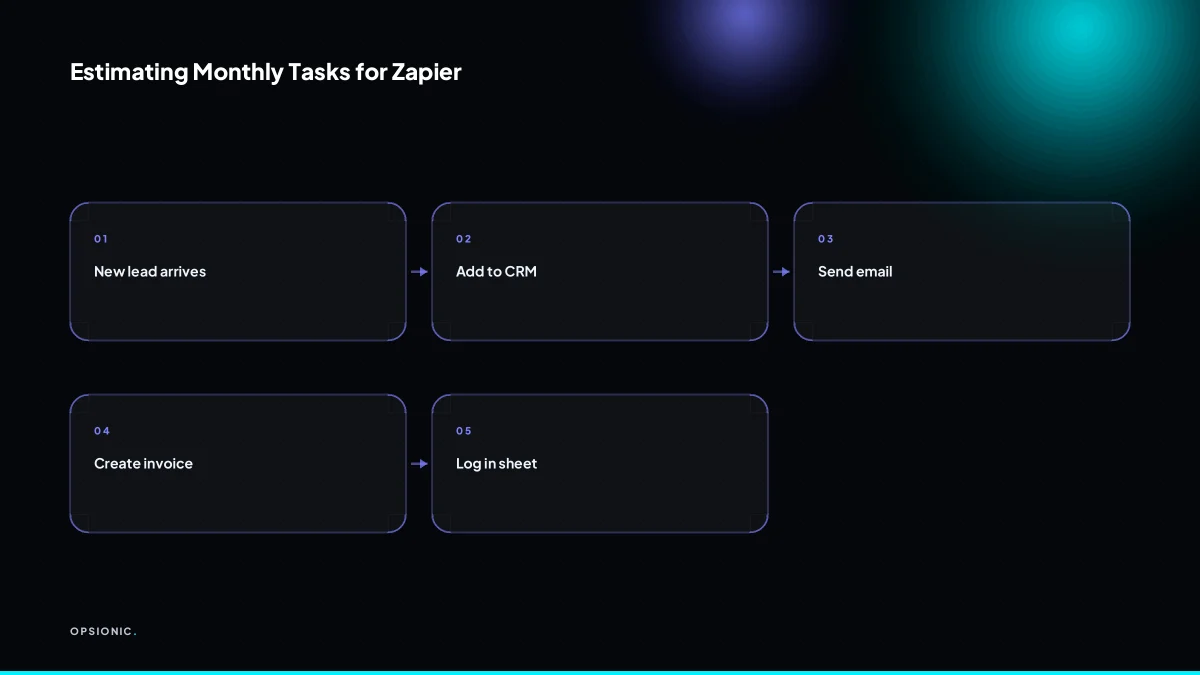
A task is one completed action inside a Zap. If a new form submission triggers three steps, such as creating a contact, adding a row to a sheet, and sending a notification, that single entry uses three tasks. Run it 500 times and you have used 1,500 tasks.
The starter plan includes a low number of tasks per month, which suits a business with only a handful of simple automations. Higher-tier plans add more tasks and features like multi-step Zaps, filters, and paths. Once you pass your monthly limit, Zapier pauses your Zaps unless you have enabled auto-replay with billing for extra task packs. Many owners miss the warning email until a workflow quietly stops.
To estimate your volume, work through one example. Say a small service firm has three automations. A new enquiry creates a CRM deal and sends a Slack message: two tasks, roughly 60 enquiries a month, so 120 tasks. An invoice reminder checks unpaid invoices daily and emails each one: about 300 tasks a month. A review request follows each completed job with one email: 40 tasks a month. Add them: 120 plus 300 plus 40 equals 460 tasks. That fits the starter plan. Add a second reminder step or a busier month and the same firm crosses the limit quickly. The full cost picture, including what you pay for setup and upkeep, is worth reading before you commit to either tool: what one automation actually costs.
How much does n8n cost once you include a private server, domain, backups, and maintenance time?
n8n’s self-hosted version is open source, but running it requires a server, domain, SSL, and ongoing maintenance. A cheap VPS starts at around EUR 5 a month, but backups, monitoring, and updates add real time. A non-technical owner will likely pay someone to set it up, making the total cost comparable to Zapier.
The fixed costs are easy to list. A small VPS from a provider like Hetzner or DigitalOcean starts at around EUR 5 to EUR 10 a month at the time of writing; check the vendor’s own pricing page. A domain costs roughly EUR 10 to EUR 15 a year at the time of writing. SSL certificates are free through Let’s Encrypt, but someone has to configure renewal. Off-site backups add around EUR 2 to EUR 5 a month at the time of writing if you use a separate storage bucket. None of these line items look scary alone.
Maintenance is where the bill stops being predictable. Updates ship regularly, and skipping them leaves a public-facing server with known vulnerabilities. Monitoring eats time too: is the workflow still running, did the queue stall, has disk space filled up. A realistic estimate is two to four hours a month for a small setup, more when something breaks at an awkward moment.
Here is a worked example, not a client. Say a small firm pays a freelancer EUR 60 an hour for upkeep. Three hours a month is EUR 180. Add the VPS at EUR 8, backups at EUR 3, and a domain amortised at EUR 1 a month. The monthly total is EUR 192 before a single workflow is built. Zapier’s starter plan, which covers hundreds of tasks, costs far less and includes hosting, security patches, and monitoring in the sticker price. The hidden labour is the real cost, and it is the reason the real cost of business automation is rarely just the software subscription.
Not sure which of these applies to you?
Answer six questions and see what we would automate first in your business, and what it is worth.
Can a non-technical small business owner realistically run n8n on their own?
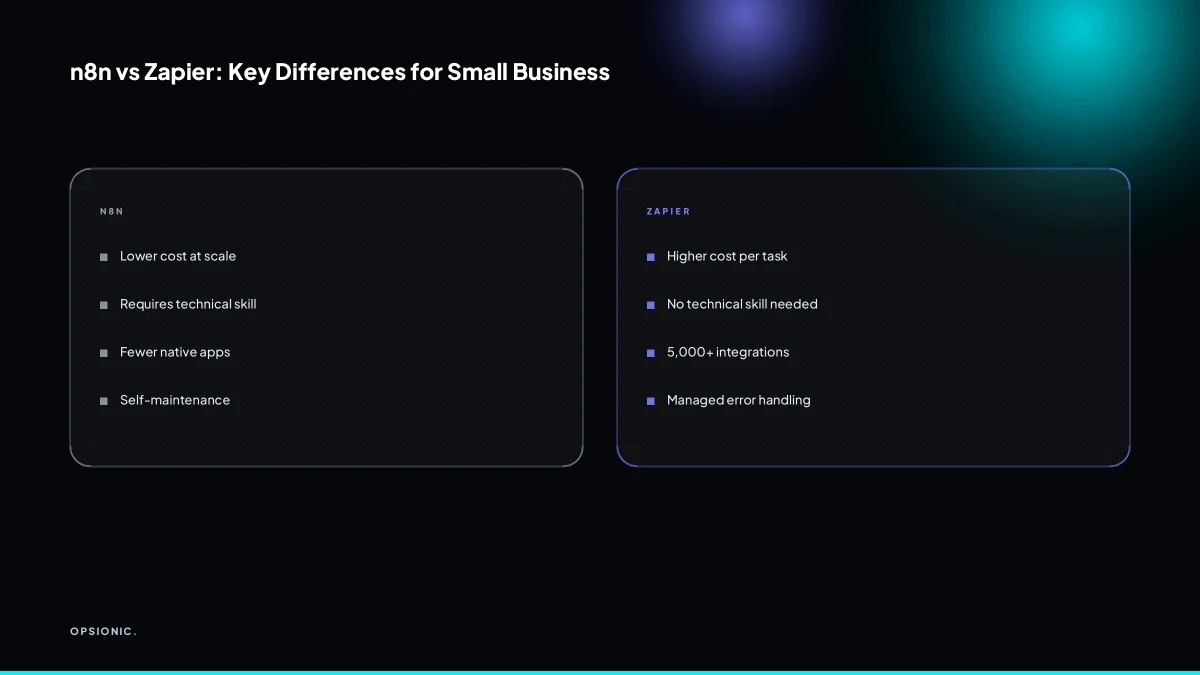
For most non-technical owners, no. n8n requires comfort with Docker, command line, and reading error logs. Even the cloud version involves configuring nodes and debugging webhooks. If you do not know what a container is, you will spend weekends troubleshooting instead of serving customers. Zapier remains the safer choice for this group.
Self-hosting n8n means you are the system administrator. You need to understand Docker images and containers, port mapping, environment variables, and reverse proxies. You need to read terminal output without freezing when it turns red. You need to know enough about Linux file permissions to fix a workflow that cannot write to its own data folder.
The failures are ordinary and recurring. SSL certificate renewal breaks silently: your automation stops mid-run because the webhook endpoint now throws a security warning, and the only clue is a failed execution log. The fix is renewing the certificate by hand and restarting the n8n container, which takes an hour if you know the commands and an evening if you do not. Database issues are worse. A full disk or a crashed Postgres container leaves workflows half-executed, and restoring them means working through backup files and SQL errors. None of this is impossible, but none of it is running a business.
n8n Cloud removes the server work but not the debugging. You still configure nodes, map data fields, and trace why a webhook fired twice or not at all. You still read JSON output and work out which node dropped the phone number. The technical burden shrinks, but it does not disappear.
If you want automation that runs without you thinking about containers, certificates, or logs, Zapier is the honest choice. It costs more per task, but the price buys the absence of this entire category of failure. For a fuller look at options that sit between the two, Zapier alternatives for small business covers the middle ground.
Which tools does each platform connect to out of the box, and what happens when an integration is missing?
Zapier supports thousands of apps with pre-built integrations, including most small business tools. n8n has fewer native integrations but offers flexible webhooks and HTTP nodes to connect almost anything. When a tool is missing, Zapier users often wait for a request, while n8n users can build a custom connection if they have technical skill.
The practical gap is smaller than the raw numbers suggest. Zapier covers the tools a typical small business already pays for: Gmail, Google Sheets, Slack, QuickBooks, Xero, Shopify, WooCommerce, Stripe, Calendly, Acuity, Mailchimp, and most CRMs. n8n covers many of the same names, but you are more likely to hit a blank when you reach for a niche booking system, a regional accounting package, or a specialist trade app.
When an integration is missing, the two platforms behave differently. Zapier users file a request and wait, or pay for a workaround through another tool. n8n users can often solve it the same afternoon. A webhook node listens for data from almost any service that can send an HTTP request. An HTTP node calls any API that accepts one. Neither requires the vendor to build anything. The cost is that you, or someone technical, must read the API documentation and handle authentication, errors, and retries yourself. Zapier does offer Webhooks by Zapier on paid plans, which covers simple incoming or outgoing calls, but it is less flexible than building the same thing inside n8n.
For a small business deciding on this alone, the table below is the honest summary.
| Question | Zapier | n8n |
|---|---|---|
| Pre-built app integrations | Thousands | Fewer, but covers most mainstream tools |
| Missing integration | Request it or use a workaround | Build it with webhooks or HTTP nodes |
| Technical skill needed | Low for standard apps | Higher when building custom connections |
| Webhook support | Available on paid plans | Built in, even on self-hosted free tier |
| Best fit | Teams that want the directory to just work | Teams with one technical person and unusual tools |
If your stack is ordinary, the directory gap rarely matters. If your stack is unusual, n8n’s escape hatch is the reason to put up with the maintenance. When we scope what we automate for small businesses, the first question is usually which of your tools already have a clean integration, because that decides how much custom work a workflow will need before it earns its keep.
What is this costing you now?
Based on removing half of that time.
How do the two compare on error handling, monitoring, and recovering a failed automation?
Zapier provides built-in error alerts, replay options, and a visual history of every run. n8n offers detailed execution logs and error workflows, but you must set up your own monitoring and notifications. For a small business without a dedicated IT person, Zapier’s managed error handling saves hours of manual checking.
In Zapier, every run lands in a task history you can open without leaving the browser. A failed step shows the exact input and output, so you can usually see whether the problem was a bad email address, an expired token, or a field that moved in your CRM. Once you fix the cause, the replay button reruns only the failed step. You do not rebuild the workflow or reprocess the earlier steps that already worked. That matters when a workflow has already created an invoice or sent a confirmation, because replaying the whole thing would create duplicates.
n8n takes a different approach. The execution log is detailed, often more detailed than Zapier’s, and it shows which node failed and what data it received. But that log just sits there unless you build the alerting yourself. n8n has an error workflow node you can attach to a main workflow. When the main workflow fails, the error workflow runs and can send an email, post to Slack, or write to a spreadsheet. That is powerful, but it is also one more workflow to design, test, and maintain.
The bigger gap is monitoring. Zapier can email you when a run fails. With n8n, you need an external tool like Uptime Kuma or a cron job that pings your instance, plus a separate notification path. If you skip that setup, a failed run can go unnoticed for weeks.
Consider a small firm that sends a weekly report to thirty clients. In Zapier, a failed send triggers an alert the same morning. In n8n without monitoring, the owner discovers the failure when a client emails asking where the report is. The fix itself may take five minutes either way. The difference is the hours spent checking logs, or the awkward client conversation before the check happens. That is the maintenance burden we account for when we build an automation for a business that has no one watching dashboards all day.
What simple decision rule should a small business use to choose between n8n and Zapier today?
If you are non-technical and want automations that just run, choose Zapier. If you have technical skills or a developer on staff, and you value lower variable costs over convenience, choose n8n. For most small businesses, the time saved with Zapier outweighs the potential savings of self-hosting n8n.
Run the decision as a tree. The first branch is skill. If nobody on the team can read a JSON error or restart a Docker container, stop there: Zapier is the answer. The second branch is volume. If you already know you will run a high volume of tasks each month, the per-task savings of n8n start to matter. The third branch is time. If the owner is also the person who would maintain the server, self-hosting is a second job, not a saving.
Print this checklist and work through it honestly:
- Can someone on the team read server logs without help? If no, pick Zapier.
- Do you run a high volume of automated tasks a month? If no, the cost gap is small.
- Would the person maintaining n8n otherwise be doing billable work? If yes, count that lost time as a cost.
- Can you tolerate an automation being down for a few hours while you fix it? If no, pick Zapier.
- Do you already pay for a private server you control? If yes, n8n gets cheaper to run.
Still unsure? Open a free trial of both. Build the same two-step automation in each: a new form submission creates a row in a spreadsheet and sends an email. Time how long each takes from signup to working. Then decide. If you want someone to map this properly before you commit, book a free plan and we will talk it through with you.
Want this running in your business next week?
A relaxed 20-minute video chat. Camera on or off. You leave with a plan whether or not you hire us.
- No call unless you ask for one
- From EUR 399 a month, no setup fee
- Built and run for you, not handed over as homework
Sources we checked
Questions people ask
Is n8n really free for small business?
The self-hosted software is free to download and run, but the setup is not. You still pay for a server, a domain, backups and the hours spent on updates, monitoring and fixing failures. Once those are counted, the monthly total often lands close to a paid Zapier plan.
Does Zapier have a free plan for small business?
Zapier offers a free tier, but it limits tasks per month and restricts multi-step Zaps, filters and paths to paid plans. A business running only one or two simple automations may stay inside it. Anything with several steps or daily volume will need a paid tier.
Can I switch from Zapier to n8n without losing my workflows?
No direct export exists, so each Zap has to be rebuilt as an n8n workflow by hand. The logic carries over, the configuration does not. Budget time for rebuilding every step, reconnecting credentials and testing each trigger before you retire the original Zap.
What is the easiest n8n alternative for non-technical users?
Zapier is the simplest option if you do not want to touch servers, Docker or logs. Make and Pipedream sit in the middle: more flexible than Zapier on pricing, less administration than self-hosted n8n. Pick based on whether you have one technical person available.
How many tasks does a typical small business use monthly?
It depends entirely on step count. A firm with three automations, covering enquiries, invoice reminders and review requests, can sit under 500 tasks a month. Add a second step to each, or a busy month, and the same firm crosses into the thousands.
Does n8n work with QuickBooks and Xero?
Yes. n8n has nodes for both, and where a node is missing you can call the vendor's API with an HTTP node. That route works, but you handle authentication, error handling and retries yourself rather than relying on a maintained integration.
Which is better for ecommerce: n8n or Zapier?
Zapier suits most small shops because Shopify, WooCommerce, Stripe, Xero and QuickBooks are all covered out of the box. n8n wins when your stack includes an unusual app, or when order volume is high enough that per-task pricing becomes the larger cost.