Automate Quote Follow-Ups: The Sequence That Recovers Dead Leads
To automate quote follow up, set a sequence that sends a polite reminder, a value-add note, and a final nudge at set intervals, then stops when the customer replies or accepts. A 30-quote-a-month business can recover several lost deals each month with this low-effort system.
What is an automated quote follow-up sequence?
An automated quote follow-up sequence is a set of timed emails sent after a quote goes out, with rules that stop them if the customer replies or accepts. Tools like HubSpot, Pipedrive, Zapier, or Make monitor your sent quotes and trigger the next touch only when no response has come in.
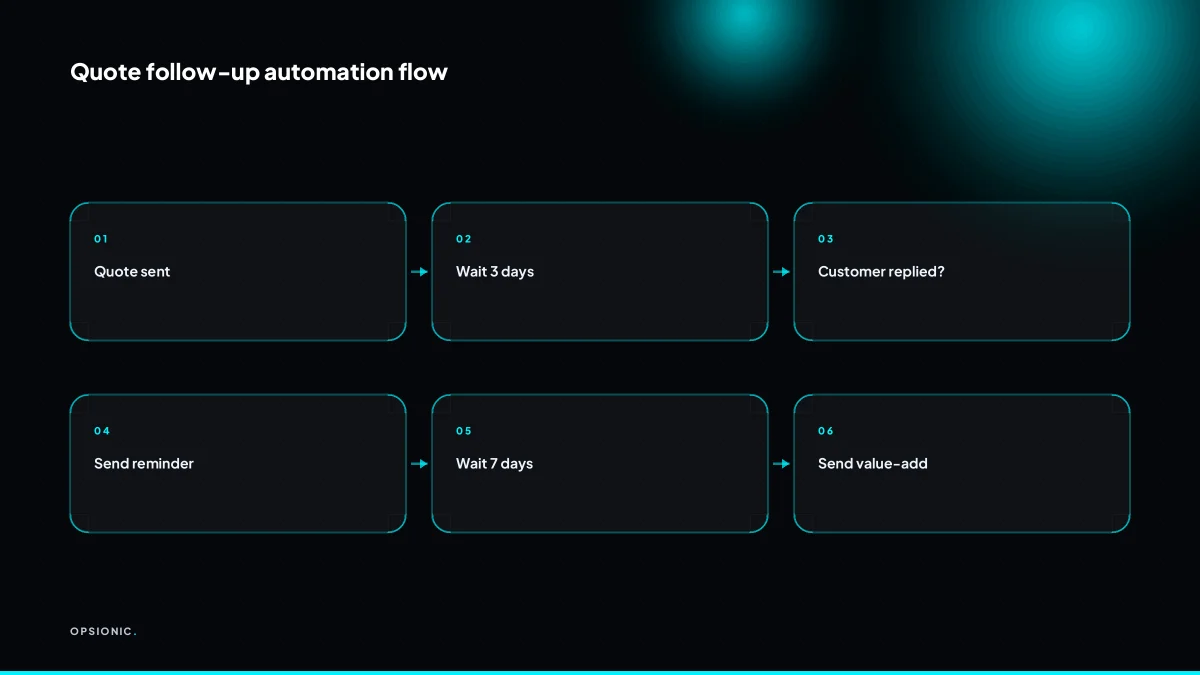
Three parts do the work. The trigger is the event that starts the sequence, usually the moment a quote is marked as sent in your CRM or quoting tool. The delay is the gap before the next message, often two or three days. The stop condition is the rule that says: if the customer replies, opens the proposal, or pays, cancel everything else.
You can run this in a few places. A CRM like HubSpot or Pipedrive has built-in sequences for deals. Zapier and Make connect your quoting tool to your email provider when the CRM does not fit. n8n is the self-hosted option if you want the whole flow on your own server.
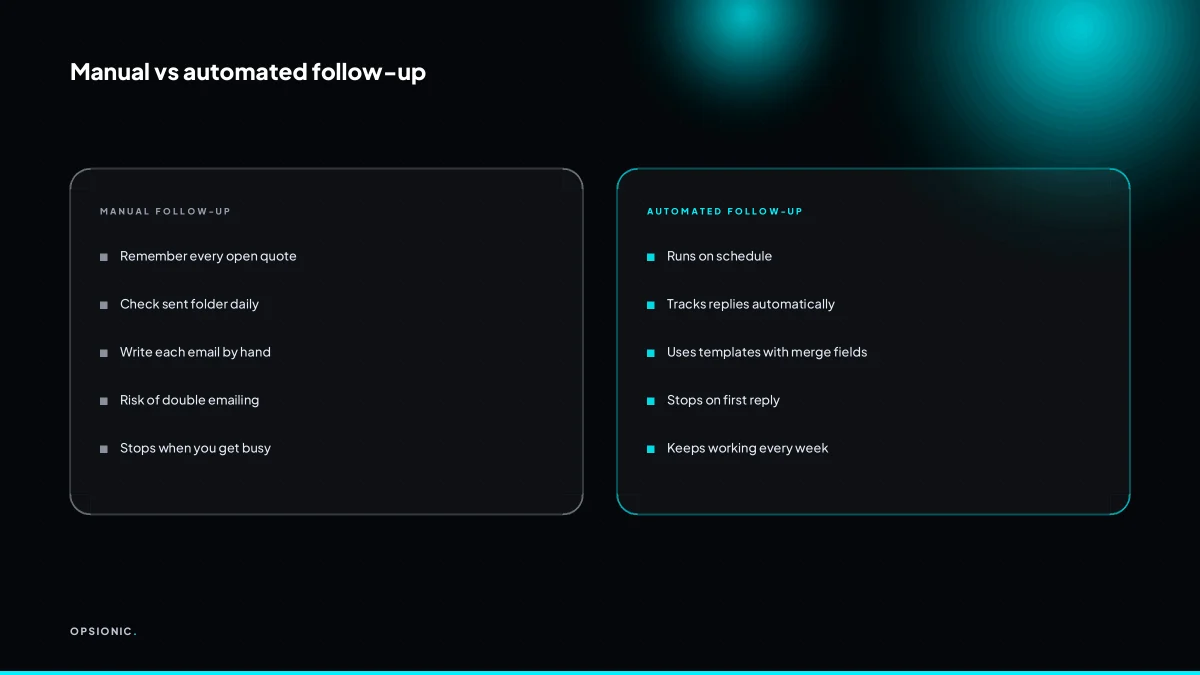
The difference from a manual list is simple. A manual list reminds you to write an email. The sequence writes and sends it, then checks for a reply before the next one goes out. You stop being the middleman.
How many follow-ups should I send and at what intervals?
A three-touch sequence is a sensible default for most small firms: a polite reminder after 3 days, a value-add follow-up after 7 days, and a final nudge after 14 days. Each email must offer a reason to reply.
One follow-up catches people who simply missed the quote. Ten makes you look desperate and trains customers to wait for your nagging before they reply. Three gives you two chances to add something useful, then a clean exit.
Longer sales cycles need slower spacing. A kitchen fitter quoting EUR 12,000 might wait five days before the first nudge, then follow up at day 12 and day 24. The customer is comparing builders, not buying envelopes.
| Quote type | Touch 1 | Touch 2 | Touch 3 |
|---|---|---|---|
| Quick service, under EUR 500 | Day 2 | Day 5 | Day 9 |
| Standard job, EUR 500 to 5,000 | Day 3 | Day 7 | Day 14 |
| Large project, over EUR 5,000 | Day 5 | Day 12 | Day 24 |
If you want the sequence to run itself, including the reply check that stops it, we build that as part of our automation services.
Not sure which of these applies to you?
Answer six questions and see what we would automate first in your business, and what it is worth.
What should each follow-up email say so it doesn’t sound pushy?
Each follow-up must add new value: the first confirms receipt and offers to clarify, the second shares a relevant tip or answers a common objection, and the third is a short final check with an easy out. Avoid “just checking in” and always reference the specific quote.
- Open the first touch by confirming the quote and naming one detail from it. Write one line that shows you remember the job: “The quote for the garden wall on Larch Road includes the drainage channel we discussed.” Then offer a specific way to respond, such as a 15-minute call or a reply with one question.
- Lead the second touch with a tip or answer, not a reminder. Pick the most common hesitation a customer has about that type of work. For a painter, share how long the quoted paint lasts and what prep is included. For a bookkeeper, explain what a typical month-end handover looks like. One short paragraph is enough.
- Make the third touch a decision prompt with an easy exit. State that the quote is still valid until a date, then ask for a yes, a no, or a change to the scope. A line like “If this has moved down your list, just tell me and I will stop the emails” lowers the pressure and often gets an honest reply.
- Personalise with one variable, not a new email. Use the customer’s first name and the job reference in the subject line and first sentence. Keep the rest as a reusable block. That is enough for a follow-up; only the first line needs to change per quote.
- Add value with a line that costs you nothing to share. Examples for service quotes: “Most people ask whether the price includes cleanup. It does.” or “If you sign by Friday, I can hold the current material price.” or “One thing clients often miss: this quote assumes access from the side gate.”
How do I make the follow-up stop when the customer replies?
Set a stop condition: the automation checks for any reply from the customer’s email address or a change in your CRM pipeline stage before sending the next touch. In Zapier or Make, a filter step cancels the sequence; in a CRM, a workflow rule pauses when the deal moves to ‘won’ or ‘replied’.
- Define the reply trigger. In Zapier, add a filter step after the delay that checks whether a new email from the customer’s address has arrived since the quote was sent.
- Check the CRM stage. In Make, use a module that reads the deal record and stops the sequence if the stage is ‘won’, ‘replied’, or ‘opted out’.
- Set the pause rule. In a CRM like HubSpot or Pipedrive, create a workflow that pauses all quote follow-up emails when the deal owner logs a reply or the customer accepts.
- Add an opt-out condition. Include a check for words like ‘stop’, ‘unsubscribe’, or ‘no longer interested’ in the reply body, and cancel the remaining touches.
- Test the stop path. Send a test reply from the customer’s address and confirm the next scheduled touch does not fire.
If you want this logic built into a sequence that runs without you touching it each week, see how we build an automation.
What is this costing you now?
Based on removing half of that time.
What can a three-touch follow-up recover for a 30-quotes-a-month business?
Worked example: a firm sends 30 quotes a month and currently closes 10. With a three-touch follow-up, response rate rises from 40% to 55%, adding 4.5 more conversations. At a 30% close rate on those, that is 1.35 extra deals, or roughly EUR 1,350 at a EUR 1,000 average sale.
Here is the full arithmetic as an example, using invented but realistic figures. A firm sends 30 quotes a month. Today, 12 customers reply, a 40% response rate. The salesperson closes 10 of those conversations. That is a 33% close rate on all quotes sent.
Now add three automated follow-ups. The response rate moves to 55%, so 16.5 customers reply. The close rate on conversations stays at 30%, not 33%, to stay conservative. That gives 4.95 closed deals from the 16.5 conversations. Rounded down, that is 4 extra deals a month compared with the previous 10. At a EUR 1,000 average sale, the extra revenue is EUR 4,000 a month.
Those assumptions are deliberately cautious. A 55% response rate after three touches is modest for a short, polite sequence. A 30% close rate on follow-up conversations is lower than many firms see on warm replies. If your average sale is higher, or your current response rate is below 40%, the recovery is larger. Swap in your own quote volume, reply rate, close rate and average sale. The formula is simple: quotes sent, times the lift in response rate, times close rate, times average sale.
Even one extra deal a month pays for the automation. At EUR 399 per month for a hosted follow-up sequence, a single recovered EUR 1,000 sale covers the cost four times over. Two extra deals a month, and the automation is one of the cheapest sales tools you run.
What goes wrong when people automate quote follow-ups?
Common failures include sending follow-ups after the customer already replied, blasting the same generic message to every lead, and forgetting to pause for big quotes that need a human call. A missing stop condition is the worst: it turns a helpful nudge into spam and kills trust.
No stop condition
You send quote 14 to a builder. He replies at 09:12 saying “go ahead”. At 09:30 your automation sends touch two: “Just checking you saw the quote.” He now thinks you do not read your own inbox. The fix is a trigger that watches for any reply on the quote thread and halts the sequence instantly. No reply, no pause.
Generic copy
The follow-up says “following up on my previous email”. It does not mention the job, the line items, or the conversation you had on site. The customer reads it as bulk mail and deletes it. The fix is to pull the quote number, the job name, and one detail from the original document into the message. A five-line personal follow-up beats three paragraphs of filler.
Over-automating high-value quotes
A EUR 40,000 fit-out is not a SaaS trial. If the sequence fires a polite “just checking in” after three days, you look junior. The fix is a value rule: anything above a set amount, say EUR 5,000, gets a task for a phone call instead of an automated email. The automation still reminds you. It just does not speak for you.
Want this running in your business next week?
A relaxed 20-minute video chat. Camera on or off. You leave with a plan whether or not you hire us.
- No call unless you ask for one
- From EUR 399 a month, no setup fee
- Built and run for you, not handed over as homework
Sources we checked
Questions people ask
Can I automate quote follow-ups if I use Gmail or Outlook?
Yes. Use a tool like Zapier or Make to watch your Gmail or Outlook inbox for sent quotes and trigger follow-up emails. You can also use a CRM that integrates with these email providers, such as HubSpot or Pipedrive.
What is the best free tool to automate quote follow-ups?
Zapier has a free plan that lets you create a simple automation: when a quote is sent, schedule follow-up emails. Make also has a free tier. For a more robust solution, consider a free CRM like HubSpot's free plan, which includes basic email sequences.
How do I avoid my follow-up emails landing in spam?
Keep your sender reputation high by using a professional email address, avoid spammy words like 'free' or 'urgent', and personalise each email. Also, ensure your domain has SPF and DKIM records set up. Test your emails with tools like Mail-Tester.
Should I call instead of email for high-value quotes?
For high-value quotes, a phone call can be more effective. Automate a reminder to call instead of sending an email. Set a rule: if the quote value exceeds a threshold, like EUR 5,000, the automation creates a task for a call rather than sending an email.
Can I automate follow-ups for quotes sent from a PDF or Word document?
Yes, if you can track when the document is sent. For example, use a tool that logs when you email a PDF, or use a document tracking service like PandaDoc. Then trigger follow-ups based on that event.
How do I stop the sequence if the customer says 'not now' but not 'no'?
Set a stop condition that pauses the sequence when a reply contains phrases like 'not now' or 'later'. You can then move the deal to a 'snoozed' stage in your CRM and schedule a follow-up for a future date.
Does automating follow-ups make my business feel less personal?
Not if done well. Personalise each email with the customer's name and a specific detail from the quote. Offer value in every touch. The key is to make the automation feel like a thoughtful assistant, not a robot.