How to Work Out the ROI of an Automation Before You Build It
An automation ROI calculation for a small business compares the ongoing cost of building and running a workflow against the hours it saves each month, valued at your true hourly rate. Subtract maintenance, exception handling, and human review before you decide. If the payback period is longer than you will keep the process, do not build it.
What is the exact formula for automation ROI?
Automation ROI is the net monthly saving divided by the monthly cost to run the automation, shown as a percentage. Net saving equals hours saved multiplied by your hourly rate, minus the automation’s monthly cost. The formula is: ((hours saved × hourly rate) – monthly cost) ÷ monthly cost × 100.
In plain terms, you are asking one question: does the automation put more money back in your pocket each month than it takes out? The hours saved are the tasks you no longer do by hand. The hourly rate is what your time is worth, whether you bill clients at that rate or simply value an evening back at home. The monthly cost includes the tool subscription, any hosting, and the time someone spends keeping the automation running.
Work out the monthly net saving first. If a workflow saves you six hours a month and you value your time at EUR 50 an hour, that is EUR 300 saved. If the automation costs EUR 40 a month to run, your net saving is EUR 260. Divide that by EUR 40 and you get 650%. That number sounds enormous, which is exactly why percentage ROI can mislead at small scale.
A 650% return on a EUR 40 tool is only EUR 260 in real money. A 40% return on a EUR 600 service is EUR 240. The percentage flatters the cheap option, but the cash in your account is nearly identical. Before you build anything, work out the real cost of business automation and set a simple threshold: if the net saving is under EUR 100 a month, the automation may not be worth the mental overhead of owning it.
Which costs should I include beyond the software subscription?
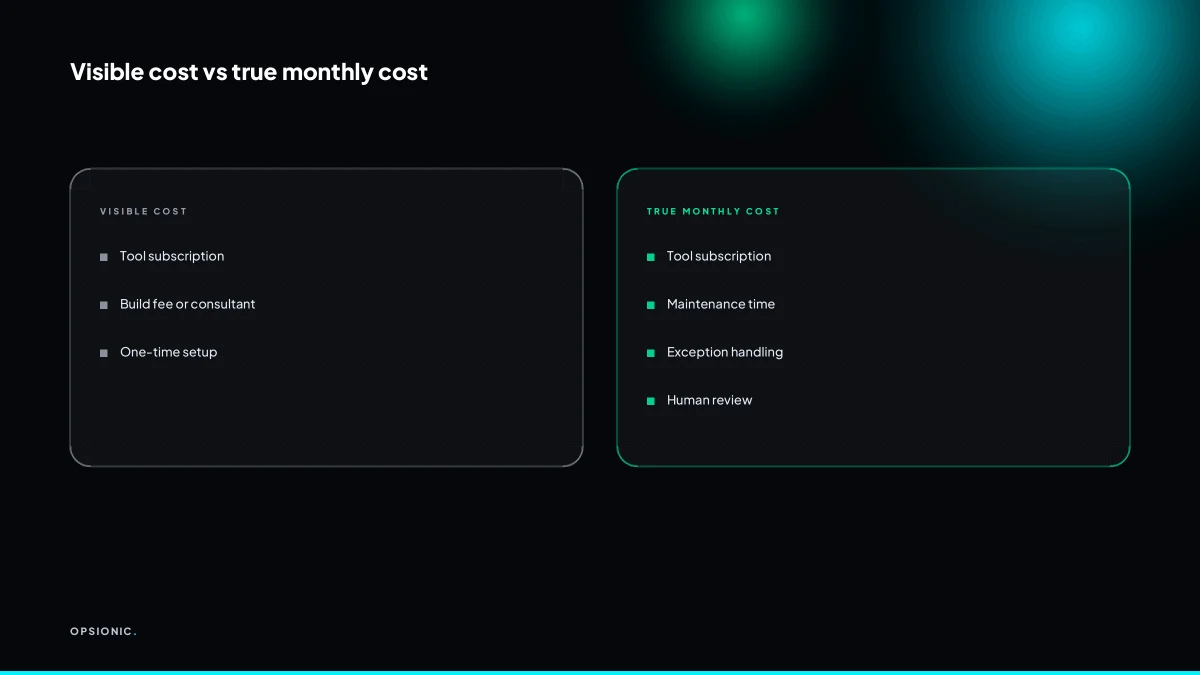
Beyond the subscription or build fee, include the time you spend maintaining the workflow, fixing it when an app changes its API, and manually checking outputs. Also include the cost of any new tools the automation needs, like a dedicated inbox or a monitoring service. These ongoing costs often exceed the visible price.
Maintenance is the quiet line item. A workflow that syncs invoices between two apps may need an hour a month when a field name changes or a token expires. Exception handling is worse: a failed run at 11pm still needs a human to look at it in the morning. Then there is the review time, the ten minutes a week you spend opening a spreadsheet to confirm the automation did not quietly duplicate rows. And hidden subscriptions pile up: a monitoring tool to watch the automation, a dedicated email address to keep alerts out of your main inbox, perhaps a second connector account.
Before you commit, put these against the build cost. What one automation actually costs changes once you add the hours you will spend owning it.
| Cost type | Typical monthly range | What you are really paying for |
|---|---|---|
| Maintenance time | 1 to 3 hours | API changes, token refreshes, small fixes |
| Exception handling | 30 minutes to 2 hours | Failed runs, bad data, missed triggers |
| Human review | 1 to 4 hours | Spot checks, approvals, trust-building |
| Hidden subscriptions | EUR 10 to EUR 60 | Monitoring, inboxes, extra connectors |
These ranges are examples based on common small business workflows. Your actual costs will vary.
Not sure which of these applies to you?
Answer six questions and see what we would automate first in your business, and what it is worth.
How do I estimate hours saved per week without overstating it?
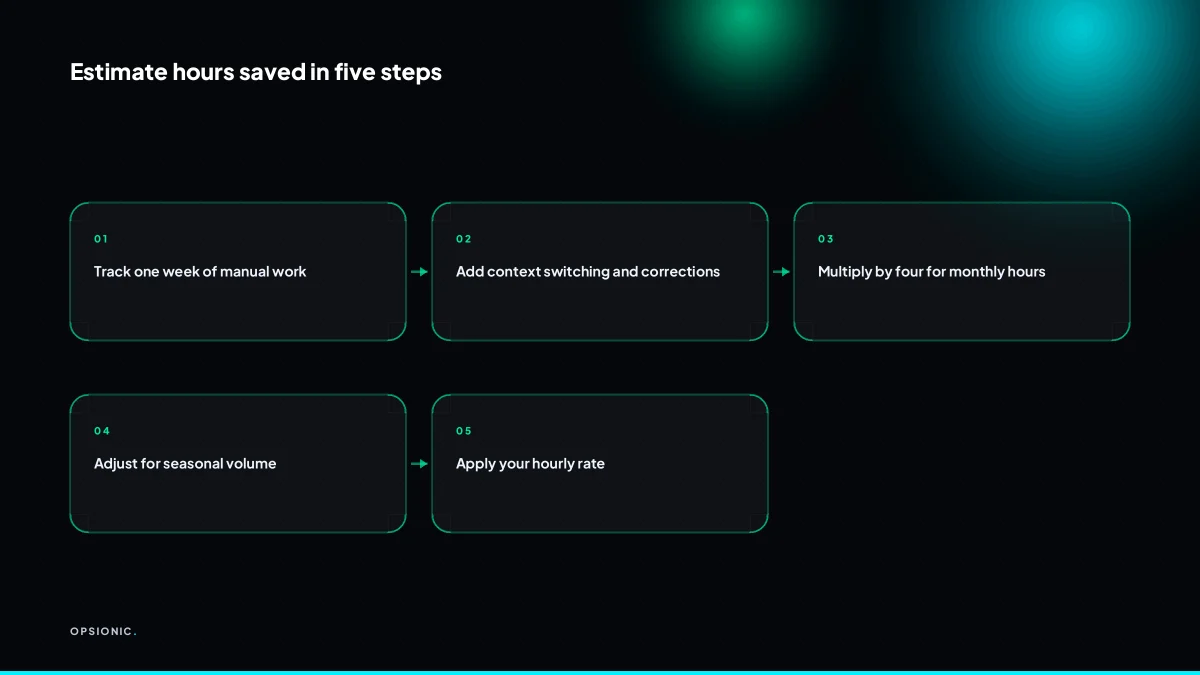
Time one full week of doing the task by hand and note every minute, including switching between apps, correcting errors, and rechecking. Then multiply by four to get a monthly figure. If the task is not weekly, measure one full cycle and extrapolate. Never use a guess from memory; it is almost always too high.
- Open a spreadsheet or a notebook and log every start and stop time for the task across five working days.
- Record the minutes spent switching between apps, hunting for data, fixing typos, and rechecking the same row twice.
- Add a line for interruptions: a two minute task that gets paused three times often costs ten minutes of real attention.
- Check the same week last quarter and the same week last year, then adjust your weekly figure up or down for seasonal volume.
- Multiply the adjusted weekly hours by four to get a monthly baseline, and keep the raw log so you can defend the number later.
For example, a bookkeeper who reconciles Stripe payouts into Xero every Friday might log 90 minutes the first week. But 25 of those minutes are tab switching and correcting two mismatched rows. In March, refunds are heavier, so the weekly figure rises to two hours. A fair estimate is 7 hours a month, not the 4 hours memory suggests. That gap is exactly where the payback sum goes wrong.
How do I value the owner’s or employee’s time in the calculation?
Use the fully burdened hourly rate you would pay someone else to do the task, not what you hope to earn. For an owner, that is often the cost of a virtual assistant or a junior employee, around EUR 15 to EUR 30 per hour. For an employee, use their gross wage plus about 30 percent for taxes and benefits.
For an employee, start with the gross hourly wage and add roughly 30 percent as a rough guide. A staff member on EUR 20 per hour gross costs about EUR 26 per hour once employer taxes, pension contributions and paid leave are included. That EUR 26 is the number to use, because that is what each hour of their time actually costs the business.
For an owner, use a proxy rate. Ask what you would pay a competent virtual assistant or junior hire to do the same admin. That is usually EUR 15 to EUR 30 per hour. Do not use your revenue per hour. If you bill clients at EUR 90 per hour, that rate reflects the value of work only you can do, not the cost of data entry you should not be doing. Using EUR 90 inflates the automation’s apparent return and pushes you toward automating the wrong things. The honest question is what the task costs if delegated, not what your time is worth when selling.
Here is a worked example. A five-person firm manually copies invoice details from Stripe into Xero. The owner does it, and it takes 6 hours a month. A virtual assistant would charge EUR 20 per hour, so the burdened cost of that task is 6 times EUR 20, which is EUR 120 per month. If an automation removes 5 of those 6 hours, the monthly saving is 5 times EUR 20, or EUR 100. That is the figure to compare against the real cost of business automation, not the owner’s imagined EUR 90 hourly rate.
What is this costing you now?
Based on removing half of that time.
What is a realistic payback period for a small business automation?
A realistic payback period is the number of months until cumulative savings equal the total cost to build and run the automation. For a small business, aim for six months or less. If payback takes over a year, the process may change before you break even, or the tool may need replacing.
The formula is simple. Take the one-off build cost, add the monthly running cost, and divide by the monthly saving. Payback in months equals build cost plus running costs so far, all divided by monthly saving. In practice, you solve for the month where the cumulative saving first covers the total spent.
Here is a worked example with invented but realistic figures. A bookkeeper spends 4 hours a week copying invoice data from one system to another. At a fully burdened cost of EUR 25 per hour, that is EUR 100 a week, or roughly EUR 433 a month. An automation removes the copying entirely. The build costs EUR 800 one-off, and the tools and hosting cost EUR 39 a month. Payback is EUR 800 divided by EUR 433, which is 1.8 months. After two months, the saving has covered the build and the running cost, and everything after that is time the bookkeeper spends on actual reconciliation.
Six months is a useful threshold because it forces you to be honest about how stable the process is. A workflow that changes every quarter will break before it pays for itself. A longer payback can still make sense when the automation removes a compliance risk or a task nobody wants to do, but you should treat that as a different decision. Before you commit, it is worth running the payback sum first with the three forgotten costs included: maintenance, the exception path, and the human who still checks it.
What goes wrong with automation ROI calculations?
Most calculations ignore the exception path: the 5 to 10 percent of cases that do not fit the happy path and need manual handling. They also ignore the time spent monitoring for failed runs and the gradual drift as apps update. These hidden costs can turn a positive ROI negative within three months.
The exception path. You automate invoice creation from a quote, but one client has a purchase order number, another pays in two currencies, and a third wants a different billing address. The automation stumbles on all three. Symptom: your team still opens the app every day to fix the same handful of records the automation was supposed to remove. Fix: list every exception before you build, and price the automation as if 10 percent of cases still need a human.
Failed run alerting. The automation runs, but nobody notices when a step fails until a customer asks why their order never arrived. Symptom: you check logs weekly, or worse, only after a complaint. Fix: budget for a daily or twice-daily review of failed runs, and treat that review time as a recurring cost, not a one-off.
API changes and maintenance. Your CRM updates its API, the automation breaks, and the fix takes half a day. Symptom: the automation works for six weeks, then quietly stops. Fix: assume one or two breakages a year per integration, and include the repair time in your ROI sum. This is the same maintenance cost covered in what one automation actually costs when you compare DIY, freelancer and agency options.
Overstated hours saved. You estimate the task took three hours a week, but that included interruptions, chasing missing data and fixing mistakes. The automation removes only the clean 40 minutes. Symptom: the ROI looks strong on paper, then the owner wonders why nobody has spare time. Fix: measure the actual task for two weeks before you automate, and only count the minutes the automation removes entirely.
Want this running in your business next week?
A relaxed 20-minute video chat. Camera on or off. You leave with a plan whether or not you hire us.
- No call unless you ask for one
- From EUR 399 a month, no setup fee
- Built and run for you, not handed over as homework
Sources we checked
Questions people ask
What if my task only takes 10 minutes a week?
Ten minutes a week is roughly 43 minutes a month. At EUR 20 an hour that is about EUR 14 saved, which rarely covers a subscription plus the time you spend checking it. Automate it only if it sits inside a larger workflow you are already automating.
How do I calculate ROI for a one-off automation?
Treat it like any other. Add the build cost to the monthly running cost, divide by the monthly saving, and you get payback in months. A one-off job still has ongoing costs: someone monitors it, fixes it, and checks the output.
Should I automate a process I plan to change soon?
Usually not. If the process will change within the payback window, you pay the build cost twice. Wait until the process is stable for at least two months, then automate the version you expect to keep.
What hourly rate should I use for a solo founder?
Use what you would pay someone else to do the task, typically EUR 15 to EUR 30 an hour for admin. Do not use your billing rate. If you charge clients EUR 90 an hour, that reflects work only you can do, not the cost of data entry.
How do I handle seasonal spikes in volume?
Measure a quiet month and a busy month, then average them. If the spike is short and predictable, a manual push may be cheaper than paying for capacity you need for six weeks a year. Automation suits steady volume better than sharp peaks.
Is a 12-month payback period ever acceptable for a small business?
Yes, when the automation removes a compliance risk, a task nobody wants to do, or a bottleneck that blocks revenue. Judge those on the risk removed, not the hours saved. For routine admin, aim for six months or less.
Can I automate exception handling to improve ROI?
Partly. You can route exceptions to a person with the context attached, which cuts the time spent working out what went wrong. You cannot remove the human entirely, so price the automation as if around 10 percent of cases still need one.