Zapier Alternatives That Make Sense for a Small Business
The best Zapier alternatives for small business are Make, n8n, Pabbly Connect, and Activepieces. They offer lower costs, higher task limits, or self-hosting. Before choosing, check what happens to your automations when you stop paying. Some tools pause everything; others let you keep a few active workflows.
Which Zapier alternatives actually work for a small business?
Make, n8n, Pabbly Connect, and Activepieces are realistic for small businesses. n8n is open-source and self-hostable. Activepieces is a newer no-code option. Each handles multi-step workflows without a developer.
Make suits owners who think in pictures: you drag modules onto a canvas and connect them. n8n appeals if you want full control and no per-task fees, though you need to host it or pay someone to. Activepieces feels familiar if you have used any modern form builder.
For a non-technical owner, the deciding question is not features. It is what happens when the workflow breaks. Make shows you exactly which module failed and lets you rerun from that step. n8n gives you logs only if you set them up. Activepieces is still young, so its community answers are thinner.
Common workflows these tools handle well: sending new WooCommerce orders to Xero, chasing unpaid invoices, reminding clients about appointments, and moving form replies into a CRM. If your work fits one of those patterns, any of the four will do the job. What we automate for small businesses often starts with exactly these repetitive admin loops.
Skip Workato and Tray.io. They are built for enterprise IT teams, with pricing and setup to match. A small business does not need a platform that assumes a procurement process and a dedicated automation engineer.
What do these tools cost once you start paying?
The entry-level plans look close, but the unit that each tool counts is not the same thing. Make and Activepieces count operations: one trigger or one action step. A workflow that watches for a new order, creates an invoice and sends an email uses three operations every time it runs. Pabbly Connect counts a task as a whole workflow run, no matter how many steps are inside it. n8n cloud counts executions, which also means one full run. A five-step workflow on Make can eat through 10,000 operations quickly, while the same workflow on Pabbly counts as one task.
| Tool | Entry plan | What you get | Unit counted |
|---|---|---|---|
| Make | from EUR 9 per month | 10,000 operations | Operation (one step) |
| Pabbly Connect | from EUR 19 per month | Unlimited tasks | Task (one run) |
| n8n cloud | from EUR 20 per month | Fixed executions | Execution (one run) |
| Activepieces cloud | from EUR 16 per month | Fixed tasks | Task (one run) |
| n8n self-hosted | from EUR 5 per month | Server only, unlimited runs | None |
These are starting prices at the time of writing. Vendors change plans, so check each pricing page before you commit. If you want a fuller picture of what automation really costs once you factor in your time, what one automation actually costs breaks down the DIY, freelancer and agency routes. If you prefer not to run your own n8n server, our automation hosting starts at USD 39 per month on your own private server, with no per-run fees.
Not sure which of these applies to you?
Answer six questions and see what we would automate first in your business, and what it is worth.
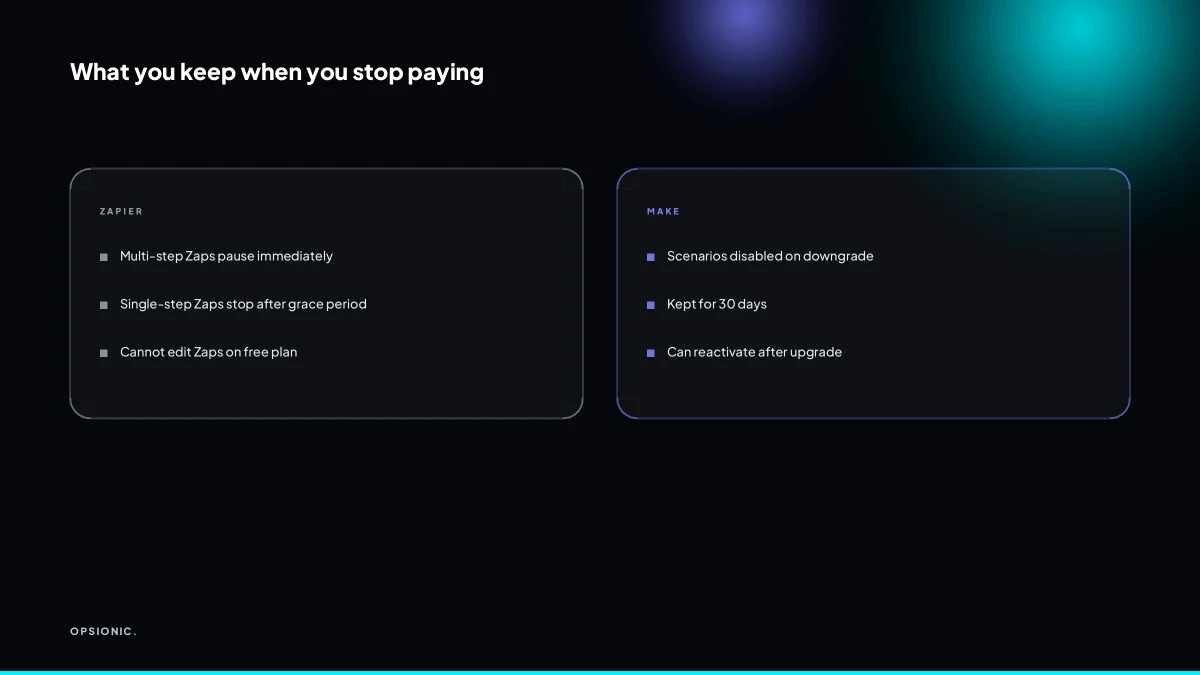
What happens to my automations if I stop paying or downgrade?
n8n self-hosted behaves differently because the software runs on your own machine. If your server is up, your workflows keep running whether or not you pay for anything. You control the hosting, so the only bill that matters is the server bill.
The pattern worth noticing: cloud tools hold your automations hostage, while self-hosted tools do not. If you would rather have someone else handle the setup and hosting, how we build an automation explains the process.
How hard is it to move my existing Zaps to another tool?
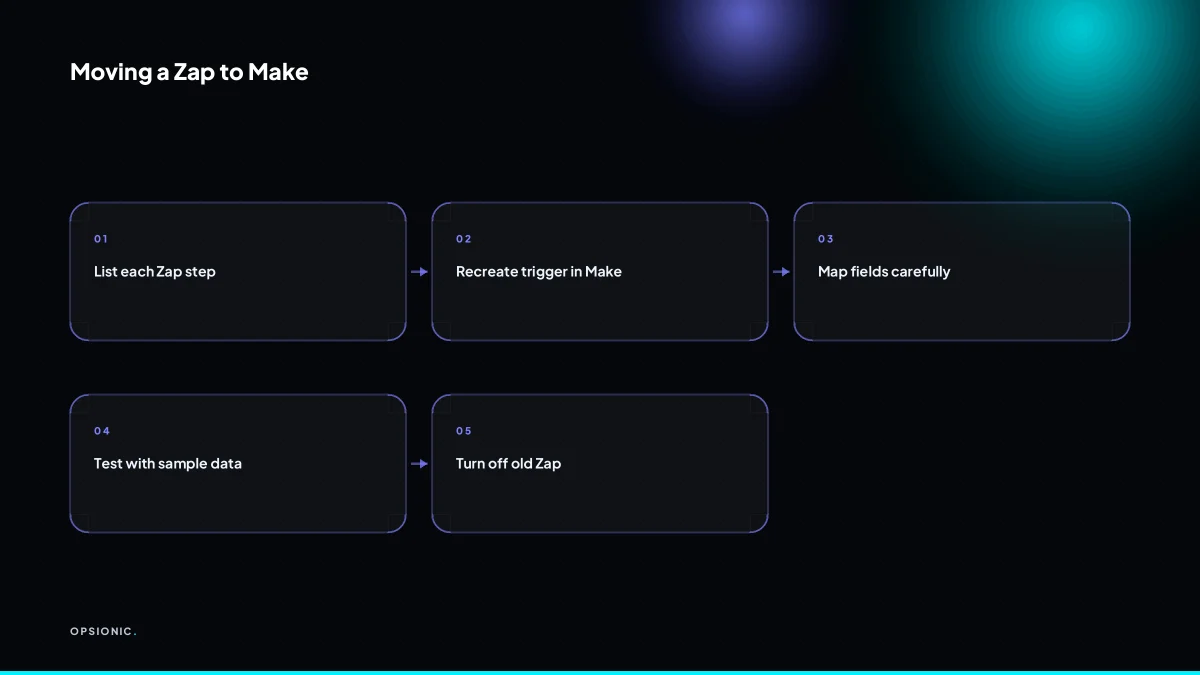
Moving Zaps is manual but not technical. Export each Zap’s steps as a written list, then rebuild the logic in the new tool’s visual editor. No tool imports Zapier JSON directly. Plan half a day for five to ten simple Zaps. Complex multi-branch Zaps may need a developer’s help.
- Open each Zap in Zapier and copy the trigger, every action, and each filter into a plain text document.
- Create a free account with the replacement tool and connect the same apps you used before.
- Rebuild the first Zap trigger in the new editor, checking that the sample data looks the same.
- Add each action one at a time, mapping fields by hand instead of assuming the tool guessed correctly.
- Turn the new workflow on and run one real record through it before disabling the old Zap.
For a typical small business with eight simple Zaps, expect about four hours of focused work. The slow part is rarely the logic. It is field mapping: Zapier may call a field “Deal Name” while the new tool calls it “Title”, and you only notice when a test record comes through with an empty column. Authentication trips people too. Each connected app needs a fresh OAuth login, and one expired token can fail silently.
If a Zap has more than two branches or uses webhooks, a developer can usually rebuild it in under a day. For everything else, the work is closer to retyping a recipe than rewriting one. If you would rather not spend the afternoon on it, our automation services cover migration as part of the build.
What is this costing you now?
Based on removing half of that time.
Which tool is best for invoice reminders, quote follow-ups, and appointment reminders?
Make and Pabbly Connect handle these well without code. Make has direct integrations for Xero, QuickBooks, and Google Calendar. Pabbly Connect includes email and SMS steps at no extra cost. n8n is more flexible but requires setup time. Activepieces is easiest for simple reminders.
Take a worked example. A bookkeeper sends 40 invoice reminders a month. Each one takes four minutes to check, write, and send in Xero. That is 160 minutes, roughly three hours. In Make, a scenario watches Xero for invoices past their due date, pulls the customer name and amount, and sends a polite email from your own address. The only manual step left is glancing at the sent folder. At a modest EUR 30 an hour for the bookkeeper’s time, the saved three hours is worth about EUR 90 a month, which covers most of a starter automation plan.
For quote follow-ups, Pabbly Connect suits a simple sequence: a quote marked “sent” in your CRM waits two days, then sends an email; if nothing changes after five days, it sends an SMS. Both steps are included, so you are not paying per message on top of the subscription. For appointment reminders, Activepieces is the lightest option: a new booking in Google Calendar triggers one email the day before and one SMS an hour before. It takes ten minutes to set up and there is nothing else to maintain. If you want the full sequence for chasing unpaid invoices, read our guide on how to automate invoice reminders.
What goes wrong when you choose the wrong Zapier alternative?
Mistake 1: The integration gap. You sign up because the pricing looks fair, then discover the tool does not talk to your booking system or your local bank feed. Symptom: you keep exporting CSVs by hand every Friday and call it “temporary”. Fix: list the five apps you actually use before comparing tools, and check each one on the vendor’s integration page.
Mistake 2: Task limits you only notice at the worst moment. The entry plan allows 750 tasks a month. A busy week burns 600. Symptom: an invoice reminder does not go out on the 20th and you only find out when a client asks. Fix: estimate your monthly task volume from real numbers, then triple it for the comparison.
Mistake 3: The downgrade trap. You cancel or drop a tier and the vendor freezes your Zaps, deletes your run history, or keeps billing for a month you did not want. Symptom: you are locked in because leaving costs more than staying. Fix: read the downgrade policy before you pay, not after.
The quiet fix for all three is a short planning call. We map what you actually need, so you compare tools on your workflows rather than a marketing page. If you would rather not do that alone, book a free plan and we will walk through it with you.
Want this running in your business next week?
A relaxed 20-minute video chat. Camera on or off. You leave with a plan whether or not you hire us.
- No call unless you ask for one
- EUR 399 a month, no setup fee, on a 6-month initial term
- Built and run for you, not handed over as homework
Sources we checked
Questions people ask
Is there a free Zapier alternative that never expires?
n8n is open-source and self-hosted, so the software itself carries no subscription and no expiry date. You still pay for the server it runs on, which starts at around EUR 5 a month at the time of writing. Free cloud tiers from Make, Pabbly Connect and Activepieces cap your task volume rather than lasting forever.
Can I run Zapier alternatives on my own server?
Yes. n8n is the clearest example: you install it on a virtual private server you rent and control. Activepieces also offers a self-hosted version. Make and Pabbly Connect are cloud-only. Self-hosting removes per-run fees but leaves you responsible for updates, backups and uptime, or paying someone to handle them.
Which Zapier alternative has the most app integrations?
Zapier itself still leads on raw app count, and Make is generally the closest of the alternatives. Pabbly Connect and Activepieces cover the common business apps but have thinner long-tail coverage. Before choosing, list the five apps you actually use and check each one on the vendor's own integration page.
Does Pabbly Connect really offer unlimited tasks?
Pabbly Connect counts a task as one complete workflow run, not one step, so a five-step workflow still uses a single task. Its entry plan advertises unlimited tasks at around EUR 19 a month at the time of writing. Check the vendor's pricing page, because plan terms change and fair-use limits may apply.
How do I know if my workflow needs multi-step automation?
Count the manual actions between the trigger and the finished job. A new order that needs an invoice, a confirmation email and a CRM entry is four steps and needs multi-step automation. A single action, such as forwarding a form reply to one inbox, is a one-step job that a basic rule can handle.
What is the cheapest way to automate invoice reminders?
If you already rent a server, self-hosted n8n is the cheapest running cost, since you only pay for the server. Otherwise, a starter Make or Pabbly Connect plan covers a monthly reminder workflow for a small client list. Our own automation plans start at EUR 399 per month with no setup fee.
Can I use Zapier alternatives without a credit card?
Make, Pabbly Connect and Activepieces all offer free tiers you can join without entering card details, though each caps tasks or operations. n8n self-hosted needs no account at all, just a server, which you can rent with a card or prepaid credit. Check each signup page before you start.