The Hidden Costs of Automation Nobody Quotes You
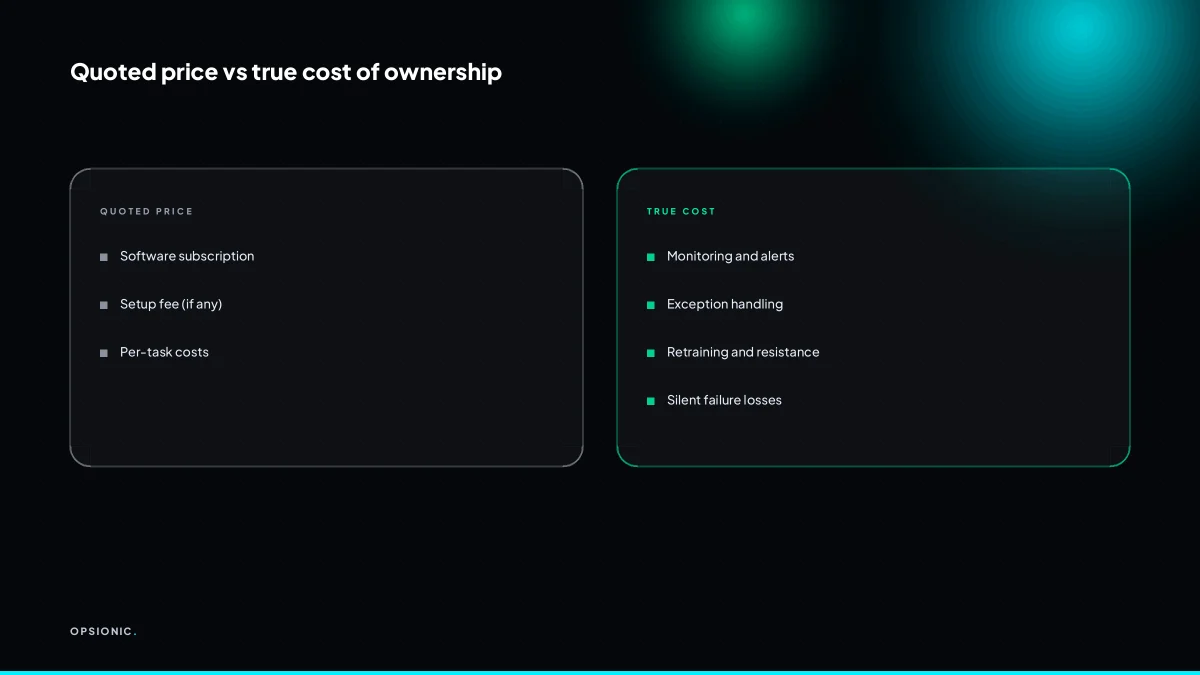
The hidden costs of automation are not the subscription fees. They are the hours your team spends fixing broken integrations, reviewing exceptions, retraining staff and catching silent failures. A workflow that looks cheap on a pricing page often costs more than a managed one once you add monitoring, maintenance and the cost of mistakes that go unnoticed.
What happens when an API or integration changes?
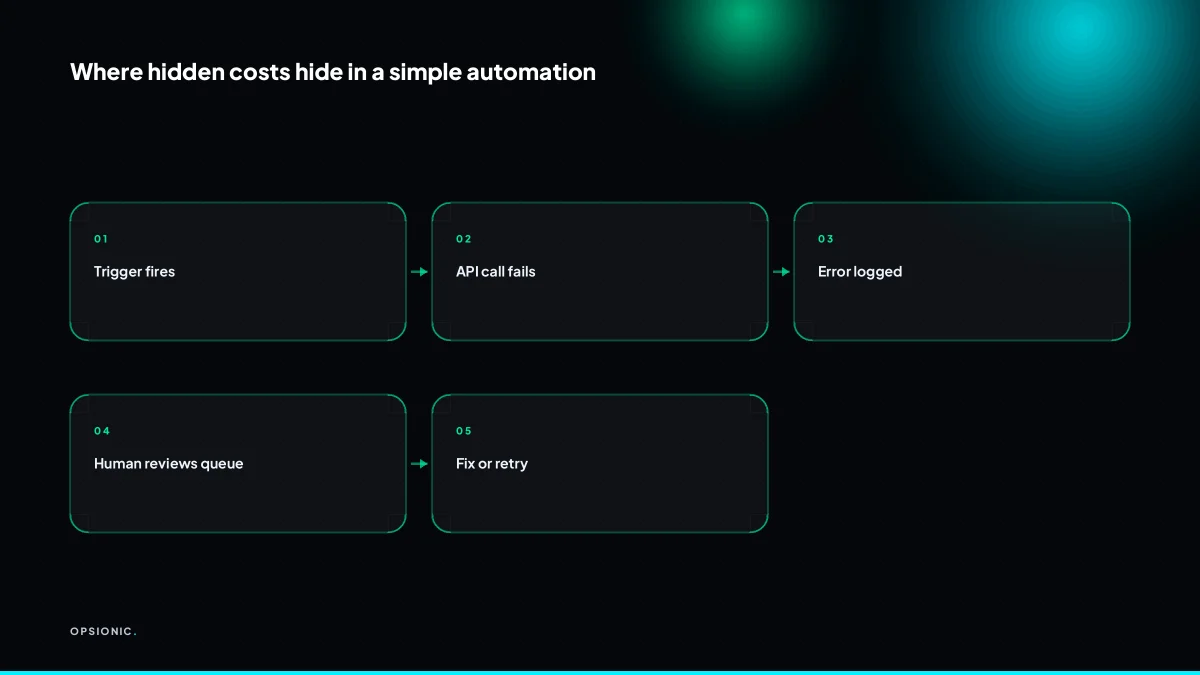
When a tool you rely on changes its API, your automation can break without warning. The vendor rarely notifies you in advance, and the fix is on you. You either pay a developer by the hour, spend your own evening reading changelogs, or leave the workflow broken and go back to manual work.
Some changes are small: a field is renamed, a webhook payload grows an extra bracket. Others are structural. A platform may remove legacy access to an API, tighten permissions on a messaging service, or deprecate an API version so your invoice sync stops matching customer records. None of these vendors call you first.
Responsibility sits wherever the automation was built. If your team built it, your team fixes it. If a freelancer built it and has moved on, you now own a broken machine you did not write. An agency that runs automations for you carries the fix as part of the service, but only if the contract says so. Check before you sign.
Here is a worked example, not a client. A small estate agency runs a workflow that sends new enquiries from their website into their CRM and pings the agent on WhatsApp. The CRM provider changes its API. The workflow stops silently. Nobody notices for three days, and twelve enquiries sit unclaimed. A developer charges EUR 75 per hour and takes four hours to trace the change, update the connection, and test it: EUR 300. Add the cost of twelve missed leads. If the fix happens twice a year, that is EUR 600 of breakage nobody put in the budget.
Self-hosting shifts the burden but not the risk. When you run n8n or a similar tool on your own server, you control the version, so a vendor cannot update it under you. But you still rely on the APIs you connect to, and you still do the fixing yourself. Self-hosting n8n means the server is yours, including every evening spent on a changelog when a connected tool moves.
How much time does an exception queue really eat?
An exception queue is where automations send anything they cannot process, and it needs a human. A five-person firm might see ten exceptions a week, each taking five minutes to investigate and fix. That is almost an hour of skilled time, every week, that no pricing page shows you.
Every automation has an exception queue, whether you built one on purpose or not. A payment that does not match an invoice, a lead with a missing phone number, a file that arrives in the wrong format. The automation stops, drops the item somewhere, and waits. Some tools show this in a tidy dashboard. Others leave the failed item in a spreadsheet you only notice when a customer chases you.
Here is a worked example. A small bookkeeping practice pays its senior administrator EUR 35 per hour. Their automations throw ten exceptions a week. Each one takes five minutes to open, read the error, find the original email or form, and correct the data. Ten exceptions at five minutes is fifty minutes. At EUR 35 per hour, that is just over EUR 29 per week, or roughly EUR 1,500 a year. The subscription to the automation tool was probably less than that.
The real cost is higher, because the person checking the queue rarely checks it in one clean block. They check it between calls, mid-invoice, or first thing on a Monday. Each interruption breaks their focus, and the work they were doing before takes a few minutes to pick up again. That cost lands on the most experienced person in the room, not the cheapest.
You can shrink the queue before you pay for more automation. Better input validation stops bad data at the form, so the automation never has to guess. A human checkpoint at the right point, one click to approve a batch rather than five minutes per item, keeps the skilled person in control without turning them into a clerk. The signs your business needs automation often show up here first, as a pile of exceptions someone quietly works through every Friday.
Not sure which of these applies to you?
Answer six questions and see what we would automate first in your business, and what it is worth.
What does staff retraining actually cost?
When you automate a task, the person who used to do it needs to learn a new way of working. That training takes hours, and the first weeks are slower, not faster. Staff may also resist the change, which costs you goodwill and productivity long after the automation goes live.
The visible cost is the training session itself. The hidden hours sit around it. A team member watches a screen share, asks what happens when a record is missing, then asks again two days later because the first answer did not stick. Another sits beside them while they click through the new steps, correcting small mistakes. A third interrupts their own work to explain why the old spreadsheet is no longer the source of truth. None of this appears on an invoice.
Resistance is a real cost because it slows every task that touches the new system. An employee who believes the automation threatens their role may check the output twice, keep a parallel manual log, or quietly route edge cases around the tool. That is not laziness. It is a rational response to change they did not ask for. The cost shows up as longer processing times, duplicated records and a manager who spends Friday afternoons reconciling two versions of the same list.
You can estimate the retraining cost per employee with a simple formula:
- Hours of formal training: 2 to 4
- Hours of shadowing and questions in the first month: 4 to 8
- Productivity dip for the first three weeks: 10 to 20 percent of their weekly hours
- Multiply the total by their hourly cost, including payroll taxes and benefits
For a bookkeeper earning EUR 25 an hour, a conservative estimate lands between EUR 300 and EUR 600 before the automation delivers a single saved hour. That figure is not a reason to avoid automation. It is a line item you should expect and plan for.
The cheapest way to cut that number is a one-page SOP. Write down the old process, the new process, and the three most common exceptions. Keep it to one page. Staff read it in five minutes and refer back to it instead of interrupting a colleague. A one-page SOP people actually follow removes most of the shadowing hours and gives hesitant staff a reference point that feels safer than asking again.
What does a silent automation failure look like?
A silent failure is when an automation stops working but nobody notices. Invoices do not go out, leads sit unanswered, or data stops syncing. The business keeps running as if everything is fine, and the cost shows up weeks later as lost revenue, angry customers or a mess you have to untangle.
The first classic is the dead webhook. A form on your site stops pushing new enquiries into your CRM because a plugin updated and changed a field name. The form still accepts submissions, the visitor still sees a thank-you page, and you still assume leads are arriving. They are not. The symptom is a quiet week followed by a panicked call from a prospect asking why nobody replied. The fix is a simple heartbeat check: a daily summary email that says how many enquiries were created, so zero is visible the next morning.
The second is the expired token. An integration that posts invoices to your accounting package loses its connection after a password reset. The automation logs the error and stops. You do not see the log. The symptom is a client chasing payment for work you thought you had already billed. The fix is an alert on failed runs, sent to a real inbox, not buried in a dashboard you never open.
The third is the partial sync. A booking tool sends new appointments to your calendar but silently drops the ones with accented characters in the name. Most bookings arrive, so the pattern looks fine. The symptom is a double-booked afternoon and a client standing in your doorway. The fix is a weekly reconciliation count, comparing bookings in one system against the other.
Monitoring is not a luxury. An automation that runs unattended without alerts is a machine you have switched on and walked away from. The difference between a hosted platform and a self-hosted setup is often who notices first when the machine stops. If the answer is nobody, the failure is already compounding.
One missed week of invoicing is easy to quantify. A small firm billing EUR 12,000 a month sends roughly EUR 3,000 of invoices each week. If a silent failure delays that week by seven days, the business does not lose EUR 3,000. It loses the interest and cash flow on that money, plus the staff hours spent reconstructing what should have gone out, plus the reputational cost of a client asking why the bill arrived late. In practice, a missed week often becomes a missed fortnight, because the first sign of trouble is a client chasing you.
The checkpoint that prevents this is not a person retyping data. It is a person glancing at a summary. One email each morning listing yesterday’s counts: enquiries created, invoices sent, bookings synced. Reading it takes thirty seconds. Acting on a zero takes minutes. That is the whole cost of not failing silently.
What is this costing you now?
Based on removing half of that time.
Which recurring costs are tied to tools versus humans?
Automation costs split into two buckets: the tools and the humans. Tools include subscriptions, hosting and per-task fees. Humans include the time to monitor, fix, train and review. Most quotes only show the tool bucket, but the human bucket is often larger and never goes away.
A typical enquiry-to-invoice workflow makes the split visible. The table below assumes a five-person firm handling 60 new enquiries a month. Tool prices are indicative, not vendor quotes.
| Cost item | Tool cost per month | Human cost per month |
|---|---|---|
| Automation platform subscription | EUR 25 to EUR 60 | None |
| Connector or API usage fees | EUR 10 to EUR 40 | None |
| Hosting for the automation | EUR 0 to EUR 20 | None |
| Monitoring the daily summary | None | 30 minutes per week |
| Handling exceptions and failed runs | None | 1 to 2 hours per month |
| Retraining staff after a change | None | 2 to 4 hours per change |
Per-task pricing hides the true bill because it only shows the tool bucket. A connector that charges EUR 0.05 per record looks cheap on a quote for 100 records. But the same workflow may run 3,000 records in a busy month, and each failed run still counts. The human time spent finding and fixing those failures is never on the quote.
To estimate your own human cost per hour, take the fully loaded wage of the person who will monitor the automation. Divide annual salary, employer taxes and pension contributions by roughly 1,700 working hours. For a EUR 45,000 salary, that is about EUR 32 per hour. Now multiply by the hours in the table and you have the real monthly figure.
When that figure starts to move around, a managed service makes the human bucket predictable. Instead of your own staff learning a platform and chasing failed runs, the monitoring and fixes sit with the provider. You still read the summary, but you stop being the person who has to understand why a step failed. The trade-off is a fixed monthly fee instead of an unpredictable number of your own hours. That is the calculation behind automation agency pricing models, and it is worth doing before you sign anything.
How do you budget for monitoring and maintenance?
A live automation needs someone to watch it, test it and fix it. Budget at least one to two hours per month per critical workflow for monitoring and maintenance. If you cannot spare that time internally, the cost is whatever you pay an agency or freelancer to do it for you.
Monitoring means more than glancing at a dashboard. You check logs for failed runs, confirm alerts actually reach a human, and open the tool once a week to see whether anything stalled. A workflow that runs quietly for six weeks can still break on week seven because a supplier changed a field name or an email inbox hit its sending limit.
Start with this monthly checklist:
- Open each critical automation and confirm the last five runs succeeded.
- Check that error alerts go to a real inbox, not an unread alias.
- Look for tasks sitting in a queue or marked “pending” for more than 24 hours.
- Confirm any connected accounts, such as Gmail or Stripe, still have valid permissions.
- Scan logs for repeated retries on the same step, even if the run eventually finished.
- Test one end-to-end run yourself with a dummy record.
- Read any platform emails about API changes or deprecations.
Maintenance costs do not shrink as the automation ages. Software updates, staff turnover and small changes in how a supplier formats data all create fresh work. The workflow that took four hours to build may still need an hour a month forever, because the world around it keeps moving. That is not a flaw. It is the reason questions to ask an automation agency should cover who owns the fixes, not just who builds the first version.
Deciding between in-house maintenance and a managed plan comes down to two numbers. If your internal hour costs less than the agency fee and someone genuinely has the time, keep it in-house. If nobody owns the checklist above, the automation will fail silently and you will pay more to rebuild trust in it later.
Want this running in your business next week?
A relaxed 20-minute video chat. Camera on or off. You leave with a plan whether or not you hire us.
- No call unless you ask for one
- From EUR 399 a month, no setup fee
- Built and run for you, not handed over as homework
Sources we checked
Questions people ask
How much does automation maintenance cost per month?
It depends on how many systems you connect and how often they change. A single workflow might need a few hours a year when an API shifts, while several integrations can mean regular fixes. Budget for developer time at their hourly rate, plus the staff hours spent checking exception queues each week.
What is the difference between setup cost and running cost?
Setup cost is the one-off build: mapping fields, connecting tools, testing. Running cost is everything after launch: fixing broken connections when an API changes, clearing exceptions, retraining staff and monitoring for silent failures. Quotes usually show setup and hide running cost.
Do I need to hire a developer to maintain automations?
Not always. Simple workflows on hosted tools can be maintained by an office administrator who understands the process. Complex integrations, self-hosted servers or anything touching payments usually need developer time when something breaks. A managed service can carry that work if the contract says so.
How do I know if an automation is failing silently?
You will not know unless you build a check. A daily summary email listing counts, such as enquiries created or invoices sent, makes a zero visible the next morning. Alerts on failed runs sent to a real inbox catch the rest. Without either, failures compound quietly.
Can I automate without paying for monitoring tools?
Yes, for simple workflows. A scheduled summary email built into most automation platforms costs nothing extra and catches the most common failure: nothing happening at all. Paid monitoring adds faster alerts and history, which matters more as the number of connected systems grows.
What is the cheapest way to get started with automation?
Start with one repetitive task that has clear inputs and outputs, such as sending form entries to a spreadsheet and an email. Build it on a tool you already pay for, write a one-page SOP, and add a daily count email before you automate anything else.
How long does it take for staff to adapt to automation?
Expect two to four hours of formal training, four to eight hours of questions and shadowing in the first month, and a productivity dip of ten to twenty percent for about three weeks. A one-page SOP covering the new process and common exceptions cuts most of that.