An AI Receptionist That Books Jobs, Not Just Answers
An AI receptionist for small business answers missed calls, books jobs, and filters out time-wasters. It works best as a first line, not a full human replacement. You connect it to your calendar and job software, set a clear handover rule for complex or emotional calls, and it costs from around EUR 399 per month.
How does an AI receptionist actually answer and book a job?
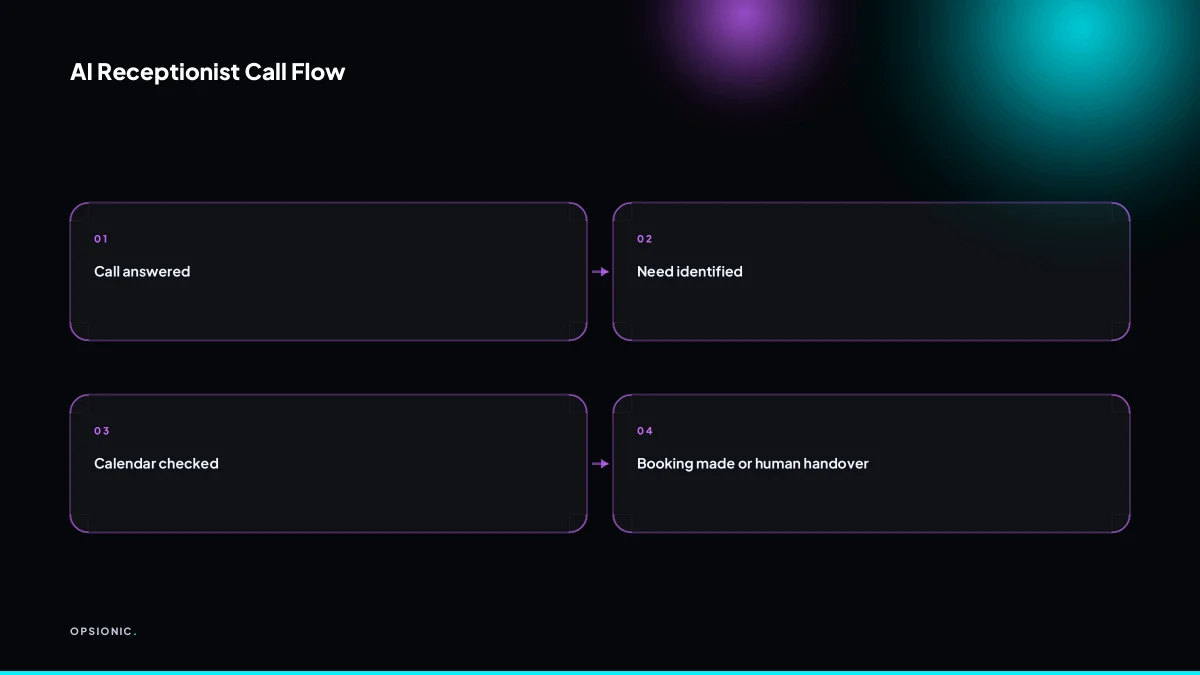
An AI receptionist answers the call, speaks in a natural voice, and asks what the caller needs. It checks your calendar for free slots, offers times, and books the job directly into your scheduling tool. The system records the call, transcribes it, and sends you a summary with the customer’s details.
The mechanics are simpler than most owners expect. The handover to your existing tools is what makes it practical rather than a party trick.
- Answer the call and state your business name, then ask the caller what service they need.
- Pull live availability from Google Calendar, Calendly or Acuity so it never offers a slot you have already filled.
- Offer the caller two or three specific times and confirm their choice, name, phone number and address.
- Create the booking in your scheduling tool and mark the calendar slot as taken.
- Log the transcript and a short summary, including the job type, time, and any notes the caller gave.
After the call you get a written record you can skim in under a minute. The booking sits in the same calendar your team already checks, so nothing changes for the people doing the work. If you are still handling new enquiries by hand, automating customer onboarding for your small business starts with this exact flow.
What does an AI receptionist cost per month for a small business?
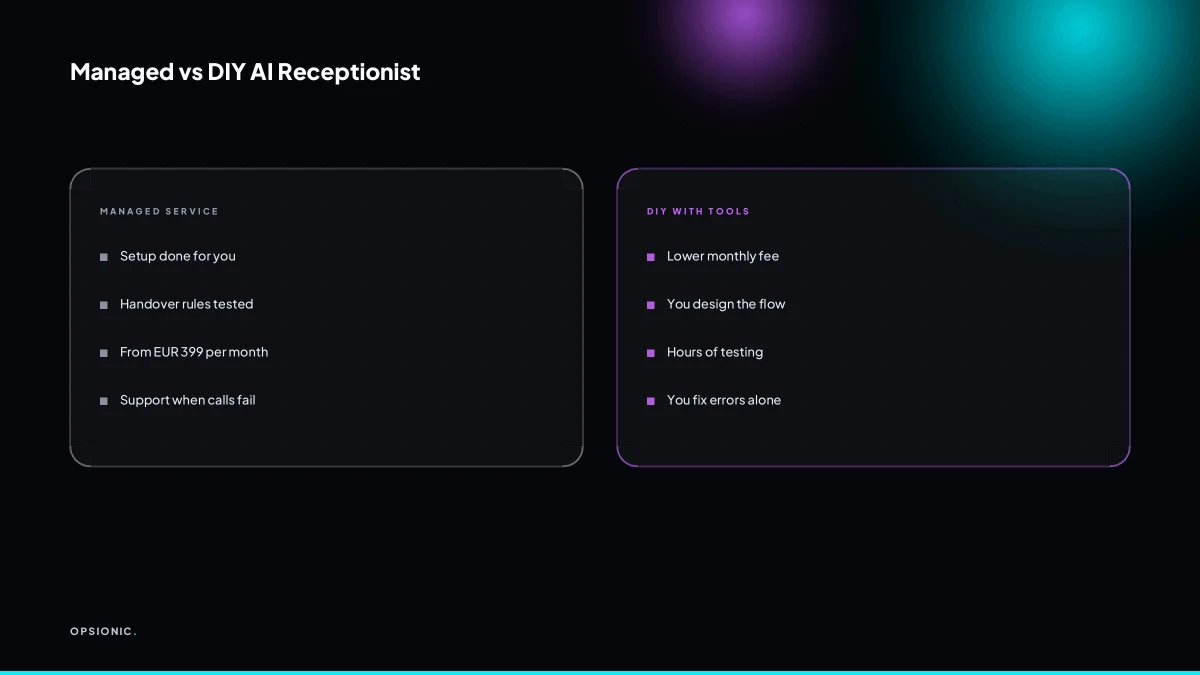
Opsionic offers a managed AI receptionist from EUR 399 per month for a single workflow, or EUR 599 for full managed automation. DIY tools start lower but require your time. Per-minute call charges from telephony providers add to the cost, and setup work is often extra unless you choose a managed plan.
Managed pricing splits into two sensible tiers. The EUR 399 plan suits one defined job, such as answering missed calls and booking appointments. The EUR 599 plan covers several connected workflows, like taking a booking, sending a confirmation, and chasing a quote. Both include setup and ongoing changes, so the monthly figure is the whole figure.
DIY platforms look cheaper on the surface. You might pay roughly EUR 30 to EUR 80 a month for the software, then around EUR 0.05 to EUR 0.15 per minute for the telephony, depending on the provider. A business taking 300 calls a month at four minutes each could land between EUR 60 and EUR 180 in call charges alone. That is before you spend an afternoon wiring the tool to your calendar and testing what happens when a caller interrupts.
| Option | Typical monthly cost | What you still do yourself |
|---|---|---|
| Managed, single workflow | EUR 399 | Nothing beyond normal review |
| Managed, full automation | EUR 599 | Nothing beyond normal review |
| DIY platform | EUR 30 to EUR 80 plus per-minute calls | Setup, testing, fixes, telephony config |
| Freelancer build, then self-run | Roughly EUR 500 to EUR 2,000 once, then platform fees | Maintenance and breakages |
The hidden costs sit in setup and integrations. Connecting a booking tool to a CRM, syncing a calendar, and writing fallback rules for callers who mumble or change their mind takes hours. A managed plan absorbs that work. If you prefer to run the system yourself, the real cost of business automation is the time you spend keeping it alive, not the subscription.
Not sure which of these applies to you?
Answer six questions and see what we would automate first in your business, and what it is worth.
Can it handle accents, background noise, and people who interrupt?
Speech recognition has improved, but accents and background noise still cause errors. Interruptions are harder: the AI may stop listening or repeat itself. You can reduce failures by using a provider with strong speech-to-text, setting a slower speaking pace, and programming the AI to ask callers to repeat themselves once before giving up.
Misheard detail. A caller says “Thursday at three” and the AI books Thursday at one. The symptom is a confirmation message that repeats the wrong day or time, and the caller either corrects it or hangs up. The fix is to force a read-back before any booking is saved: “I have Thursday the 12th at 3 PM. Is that right?” A caller only has to say yes or no, which is easier for the recogniser than a full sentence.
Interrupted turn. The AI is mid-sentence when the caller starts talking. The system either ignores the caller, talks over them, or loses the thread and asks a question that was already answered. The fix is a shorter prompt and a hard rule: if speech is detected while the AI is speaking, the AI stops, waits half a second, and says “Sorry, go ahead.” One interruption is normal. Two interruptions means the caller is frustrated, and the system should offer a human handover rather than try a third time.
Background noise bleed. A van engine, a barking dog, or a busy shop floor turns into phantom words. The AI hears “yes” when nobody spoke. The fix is to treat low-confidence transcriptions as no answer, not as a yes. If the recogniser scores a response below a set threshold, the AI asks the caller to repeat it once. After one repeat, it offers to send a text link for booking instead.
What happens when a caller is angry, upset, or has a complicated request?
The AI should not try to handle anger or complex emotional situations. The handover rule is simple: if the caller raises their voice, asks for a manager, or the AI fails to understand twice, the system transfers the call to a human or takes a message. This rule is what prevents callers from hanging up in frustration.
Emotional callers need a person, not a script. An AI receptionist cannot read tone beyond volume, and it cannot improvise when someone describes a flooded kitchen or a cancelled funeral. Pushing a calm, pre-written response at an upset customer makes the situation worse. The machine sounds indifferent because it is.
Set three triggers for handover:
- Raised voice or repeated swearing.
- The phrase “manager” or “speak to a person”.
- Two failed attempts to understand the same request.
Routing is straightforward. During business hours, transfer straight to a named staff member’s mobile. Outside hours, switch to a voicemail box that emails the recording to the owner. If you run automations elsewhere, how we build an automation applies the same rule: hand over before the customer has to ask twice.
What is this costing you now?
Based on removing half of that time.
Does it connect to my calendar, job software, or CRM?
Most AI receptionists connect to common tools like Google Calendar, Calendly, Acuity, and some CRMs. The integration is what makes bookings appear without manual entry. If your software isn’t supported natively, you can use a tool like Zapier or Make to link the AI to almost any system, though that adds setup work.
Native integrations matter because they keep the setup simple. An AI receptionist that talks to Google Calendar directly can check a live diary, offer only open slots, and write the booking in the moment. Calendly and Acuity work the same way. The caller hears real availability, not a scripted guess.
When your job software or CRM is not on the supported list, Zapier or Make closes the gap. A typical flow looks like this:
- The AI collects the caller’s name, number, and preferred time.
- Zapier sends those fields to your booking or job system.
- The system creates the record and confirms back to the AI.
That extra step is fine, but it means someone has to build and test the connection. It is not a setting you tick.
The real value is the integration, not the voice. A polite voice that cannot write to your calendar just creates more admin. A plain voice that books the job directly into your system removes a task. That is the difference between a novelty and automation services that earn their keep.
How much setup work is involved, and do I need technical skills?
Setup involves mapping your call flow, writing prompts, connecting your calendar, and testing with real calls. You don’t need to code, but you do need to think through every branch of the conversation. A managed service handles this for you; a DIY tool leaves the design and testing to you, which can take several hours.
Start by writing down every reason someone calls: booking a job, chasing an invoice, asking for opening hours, complaining. For each one, decide what the receptionist should say and where the call should end up. Then write the prompts. Short instructions work better than long ones. “Ask for the postcode before the house number” beats a paragraph about address etiquette.
Testing is where most of the time goes. You ring the number, act like a difficult customer, and fix what breaks. A caller interrupts mid-sentence. An accent trips the speech recognition. Someone asks a question you forgot to script. Each failure means rewriting a prompt and calling again.
Print this checklist and work through it:
- List every call reason your business gets in a normal week.
- Write a two-sentence instruction for each reason, not a script.
- Connect the booking calendar and confirm the receptionist can write to it.
- Call the number and book a test appointment using only your voice.
- Call again and interrupt the receptionist mid-question.
- Call a third time and ask something off-script, then note where it failed.
- Fix one prompt, retest, and repeat until the call ends correctly.
Managed setup shifts that whole loop onto us. You still answer questions about how you want calls handled, but you are not the one dialling the test number eleven times. If you would rather spend that time on paid work, what we automate for small businesses is a better starting point than a DIY dashboard.
Want this running in your business next week?
A relaxed 20-minute video chat. Camera on or off. You leave with a plan whether or not you hire us.
- No call unless you ask for one
- From EUR 399 a month, no setup fee
- Built and run for you, not handed over as homework
Sources we checked
Questions people ask
Will callers know they are talking to a machine, and does that matter?
Most callers work it out within a sentence or two, and many do not mind if the call is quick and the booking is correct. What annoys people is a system that pretends to be human and then fails. A short, honest opening line and a fast route to a person when needed keeps callers on the line.
Can an AI receptionist take payments over the phone?
Some platforms can send a payment link by text during the call, which is safer than reading card details aloud to a machine. Taking card numbers by voice adds compliance duties around storing and processing that data. For most small firms, sending a link after the call is the simpler route.
What happens if the AI books the wrong time or service?
Force a read-back before anything is saved: the AI repeats the day, time and job type and waits for a yes. If the caller corrects it, the AI updates the booking and reads it back again. Every call should also leave a transcript so you can spot repeated mistakes and fix the prompt.
Is call recording with an AI receptionist legal under GDPR?
Recording a call is processing personal data, so you need a lawful basis and a clear notice. The usual approach is a short recorded greeting saying the call is recorded and how to object or reach a person. Rules differ by country, so check your own regulator's guidance before switching recording on.
Can I use an AI receptionist for outbound calls, like reminders?
Outbound calling is a different job with different rules. Reminder calls to your own customers are usually fine if you have their consent and an easy way to opt out. Cold outbound calling is heavily restricted in many countries, so treat it as a separate project and check the rules first.
How do I stop the AI from giving out wrong information?
Keep the answers short and specific, and limit the AI to a fixed list of topics you have written yourself. Do not let it improvise on prices, availability or policy. Anything outside that list should trigger a handover or a message, not a guess.