Automating Without Breaking GDPR: A Practical Checklist
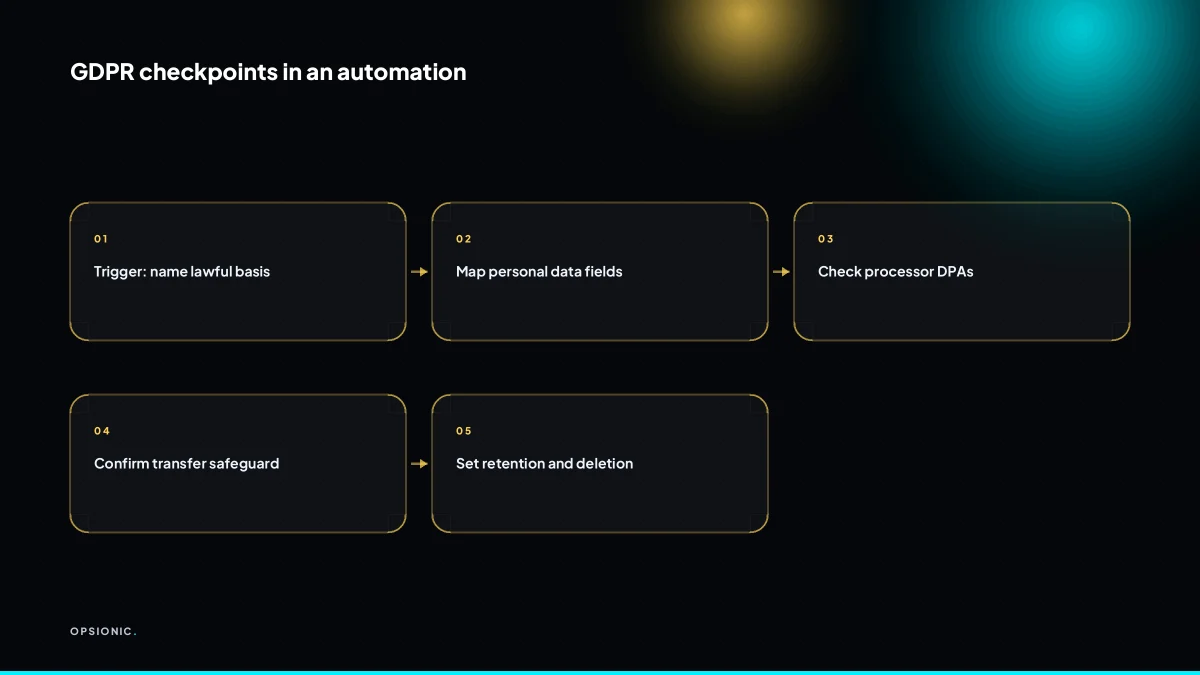
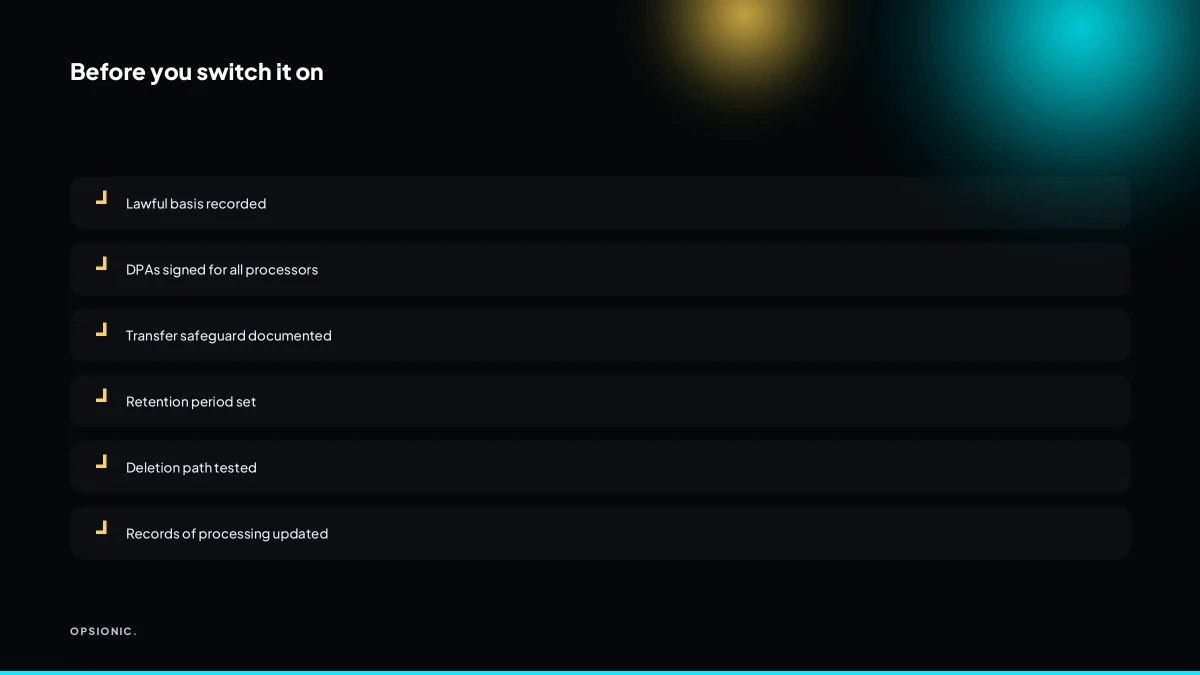
A GDPR compliant automation for a small business is one where you can name the lawful basis, the data flowing, the processors, the transfer safeguard, the retention rule and the deletion path. This checklist tests each trigger and action before you switch it on, and gives you the audit trail to show afterwards.
Which lawful basis applies to my automation?
Most small business automations rely on contract, legitimate interests, or consent. Sending an appointment reminder or invoice is usually contract or legitimate interests. Marketing messages or review requests usually need consent or a soft opt-in. Name the basis before you build, and record it.
Contract is the cleanest fit when the message is required to deliver a service someone has bought. A booking confirmation, a delivery update, or an invoice reminder all fall here. Legitimate interests covers messages that are not strictly contractual but still reasonable and expected, such as a polite reminder that a quote is about to expire. You need to show the message is proportionate and that the recipient would not be surprised by it.
Consent is not the default for transactional messages. If you ask for marketing consent before sending an invoice reminder, you create friction and may end up with a weaker legal position, because consent can be withdrawn. Transactional messages do not need it.
Document the basis per workflow. A simple record can state the workflow, the data used, the lawful basis, and why it applies. For example: “Invoice reminder, email, contract, required to fulfil the service.” Do this before you build. If you later automate Google review requests, record the basis for that flow separately, because review requests sit on the marketing side of the line.
Is Zapier, Make or n8n a processor, and do I need a DPA?
Yes. Any tool that moves or stores personal data on your behalf is a processor. You must have a signed data processing agreement with each provider before the automation runs. Check the vendor’s DPA covers the data categories and regions you use, and keep copies.
In an automation chain, you are the controller: you decide what data is collected and why. Every tool that touches that data on your instruction is a processor. A chain of three tools means three processing relationships, even if one tool only passes data through for a second.
Where to find and sign DPAs
Zapier, Make and n8n all publish their DPAs online. In most cases you sign by accepting the terms in your account settings, or by emailing a signed copy to the vendor. Some providers treat the DPA as part of their standard terms once you opt in. Do not assume that having an account means you have a DPA. Check.
What to check before you rely on a DPA
- Does it name the specific service you use, or only the parent company?
- Does it cover the regions where your data is stored and processed?
- Does it list sub-processors, and can you object to new ones?
- Does it state how the vendor handles deletion requests and breach notices?
| Tool | DPA location | What to verify |
|---|---|---|
| Zapier | Account settings, legal section | Sub-processor list and EU data location option |
| Make | Vendor website, legal pages | Whether your plan includes EU hosting |
| n8n cloud | Vendor website, terms area | Cloud region and retention period for logs |
| n8n self-hosted | No DPA needed if you host on your own server | You remain responsible for security and backups |
If a vendor cannot provide a DPA that matches your data flows, treat that tool as unsuitable. The cost of replacing a tool later is small compared to running an automation without a lawful basis. When you compare what one automation actually costs, include the time to review and file each DPA.
Not sure which of these applies to you?
Answer six questions and see what we would automate first in your business, and what it is worth.
What counts as personal data in my workflow?
Any information that can identify a living person: name, email, phone, address, IP, order ID, or a combination like postcode plus purchase history. In an automation, map every field that flows from trigger to action, and treat all of it as personal unless proven otherwise.
Common automations carry more personal data than most owners expect. A booking reminder includes name, phone and appointment time. A Stripe to Xero sync moves customer emails, invoice numbers and payment amounts. A review request after a job pulls the client’s name and order reference. Even a simple spreadsheet export can hold addresses, birthdays and purchase dates.
Special category data appears where you least expect it. A physiotherapist’s intake form may record health details. A solicitor’s follow-up sequence may reference legal matters. A fitness studio’s booking system can reveal disability or pregnancy through class choices. Treat any field that hints at health, beliefs, ethnicity or sexual orientation as special category, and check whether you even need it.
Run this checklist before building or changing any workflow:
- List every field the trigger sends, not just the ones you plan to use
- Mark each field as personal, special category, or neither
- Delete any field the action does not strictly need
- Check that the action app receives only the minimum set
- Confirm the trigger app is allowed to share those fields under its own terms
- Write down where the data sits between trigger and action
Minimising fields is the cheapest compliance step you can take. If a workflow syncing orders to a sheet only needs order ID, total and date, do not also pass the customer’s name and email. The fewer fields in motion, the smaller the breach if something fails, and the easier the record-keeping. When you automate data entry between your apps, strip the payload at the trigger before it ever leaves the source tool.
Can I use US based tools like Google Sheets with EU customer data?
You can, but you need a lawful transfer safeguard. For most small businesses that means signing the provider’s standard contractual clauses or relying on an adequacy decision. Check where data is stored and processed, and document the safeguard in your records.
The main transfer mechanisms are the standard contractual clauses, often called SCCs, and adequacy decisions. An adequacy decision means the EU has ruled that a country’s own laws protect data to an equivalent standard. The UK, Switzerland and a small number of other territories have one. The United States does not, so US based providers generally rely on SCCs instead. Google Workspace, for example, offers SCCs as part of its standard data processing terms. You accept them when you sign up, but confirm which terms apply to your account tier.
Do three practical checks before using a US tool for EU customer data. First, read the provider’s data processing addendum and confirm it includes SCCs. Second, note where data is stored. Some providers let you choose an EU data region, which reduces the transfer risk even if the parent company is American. Third, check which sub-processors the provider uses. A tool like Zapier may pass data to several US based services, and each one needs its own safeguard. If the chain gets long, a Zapier alternative that makes sense for a small business may offer EU hosting and fewer sub-processors.
In your records, write the provider name, the safeguard you rely on, the data categories transferred, and the date you confirmed the terms. Keep a copy of the relevant clause or a link to the provider’s current terms. That record is what a supervisory authority will ask for if a customer complains.
What is this costing you now?
Based on removing half of that time.
What records of processing do I need for a simple automation?
Keep a short record that names the controller, the purpose, the data categories, the processors, any transfers, retention periods and security measures. For a two-app automation this can be a one-page document. Update it when you change a field or add an app.
At minimum, your record should list the controller, the purpose of the processing, the categories of personal data, the lawful basis, any processors involved, transfers outside the EEA, retention periods, and the security measures you rely on. You do not need a lawyer to draft this. A table in a shared document works.
As a worked example, take a quote follow-up automation. You send a quote, then an automation emails the prospect after three days and again after seven days if no reply. The record might say: controller is your firm; purpose is following up on quotes; data categories are name, email address, and quote details; lawful basis is legitimate interests; processors are your CRM and email platform; no transfers outside the EEA; retention is 12 months after the quote closes; security is two-factor authentication and access limited to two staff. That is six lines in a table.
Keeping it current is easier if the record lives next to the automation itself. When you add a field or connect a new app, update the same document. A quarterly reminder to check each record takes ten minutes. If you already document your quote follow-up sequence, add the record to that same page so nothing drifts.
How long should the automated workflow keep logs, duplicates and old data?
There is no fixed number. Set a retention period based on why you need the data, then delete or anonymise at the end. Logs and temporary copies should go quickly, often within 30 to 90 days. Customer records may need longer for legal or accounting reasons.
Three mistakes keep showing up when automations touch personal data.
Mistake one: the forever log. You set up a workflow in Zapier or Make, and every run stores the full payload: name, email, phone number, the lot. Six months later you have ten thousand rows of personal data nobody reads. The fix is to disable payload logging or switch to a mode that stores only the step name and status. If you need debugging data, keep it for 30 days, then wipe it.
Mistake two: the orphaned duplicate. A workflow copies a customer record into a staging sheet, a CSV export, or a test folder, and the copy never dies. You now hold the same data in two places with two different security settings. Treat every duplicate as temporary. Name the file with a deletion date and set a calendar reminder to remove it.
Mistake three: the retention setting that does not exist. n8n can delete execution data automatically, but only if you tell it to. Make stores scenario logs until you change the data retention option. Zapier keeps task history unless you adjust it in settings. Leaving the default means keeping data for no reason, which is the opposite of data minimisation. Before you run an automation that touches customer data, work out whether the automation is worth the data it holds, then set the deletion rule on day one, not after a complaint arrives.
When does an automation trigger a data protection impact assessment?
A DPIA is required when processing is likely to result in high risk to people, such as systematic monitoring, large-scale use of special category data, or automated decisions with legal effects. Most simple admin automations do not need one, but scoring, profiling or public monitoring might.
The test is risk, not complexity. An automation that moves an invoice from Stripe to Xero is low risk. An automation that scores leads based on behaviour, monitors staff activity, or processes health details at volume is a different matter.
- Check whether you monitor people systematically. Automated CCTV, location tracking, or keystroke logging all point towards a DPIA.
- Check whether you process special category data at scale. Health records, biometric data, or information about union membership raise the risk level fast.
- Check whether the automation makes decisions with legal or similar effects. Rejecting an application, setting a price, or denying a service without human review counts.
- Check the volume. A single client’s allergy note in a booking form is not large scale. Thousands of patient records passing through a scheduler is.
- Write down your reasoning if you decide no DPIA is needed. A short note showing you considered the criteria is cheap protection.
If you are unsure, err towards doing the assessment. A DPIA is a documented thought process, not a licence application. You can also decide whether to hire an automation agency that has already worked through these questions for similar small businesses, rather than working it out alone.
Want this running in your business next week?
A relaxed 20-minute video chat. Camera on or off. You leave with a plan whether or not you hire us.
- No call unless you ask for one
- From EUR 399 a month, no setup fee
- Built and run for you, not handed over as homework
Sources we checked
Questions people ask
Do I need consent to send automated appointment reminders?
Usually not. A reminder about an appointment someone has booked is normally covered by contract or legitimate interests, because the person expects it and it helps deliver the service. Consent is better reserved for marketing, such as review requests or offers. Record which basis you rely on for each reminder workflow.
Is a verbal agreement enough for a data processing agreement?
No. A data processing agreement needs to be in writing, and you need to be able to produce it. Most providers publish one you accept in your account settings or sign by email. Keep a dated copy or a saved link to the version you accepted, and check it covers the data you actually send.
Can I use Zapier with a free plan and still be GDPR compliant?
Possibly, but the plan tier can matter. Free plans may not include the same data processing terms, EU data region options or sub-processor commitments as paid ones. Check the provider's current terms for your tier, confirm the DPA applies, and note where data is stored before you connect customer data.
What if a customer asks me to delete their data from an automation?
You need to be able to find it. Map every app the data touches, delete or anonymise it in each one, and ask your processors to do the same where they hold it. Logs and temporary copies should go too. Keep a short note of what you deleted, when, and which tools were involved.
Does GDPR apply to B2B contact data in my CRM automation?
Yes, if the contact is a living person. A work email like [email protected] identifies someone, so it is personal data even in a business context. Sole traders and named employees are covered. The lawful basis and retention rules apply the same way as for consumer contacts.
How do I handle automated emails to people who never opted in?
Do not send marketing to them. If the message is transactional, such as an invoice or delivery update, contract or legitimate interests can cover it. If it is promotional, you need consent or a valid soft opt-in from an existing customer relationship. When in doubt, leave them out of the sequence.
Is a privacy policy enough to make my automation compliant?
No. A privacy policy tells people what you do with their data, but it does not create a lawful basis, sign your processor agreements or set retention. You still need a recorded basis per workflow, DPAs with each tool, transfer safeguards where relevant, and a record of processing.