Connect Stripe to Accounting Software Correctly
To connect Stripe to accounting software automatically, sync sales, fees, refunds, and payouts into Xero or QuickBooks so books reconcile. Use Stripe's Payout Reconciliation or a tool like Zapier to create invoices and a clearing account. This keeps revenue from double-counting and ensures your accountant sees clean, correct records.
What Stripe data should you sync into your accounting software?
Sync Stripe sales, fees, refunds, chargebacks, and payouts into your accounting software. Exclude individual customer payment method details and raw API logs. For VAT or sales tax, include tax collected on transactions. This mapping ensures your books reflect actual business activity without clutter, making reconciliation straightforward.
Treat each Stripe transaction type separately. Include successful charges, because they are your revenue. Include fees, because Stripe takes them before you see the money. Include refunds and chargebacks, because they reduce revenue and need their own lines. Include payouts, because they are the cash that actually lands in your bank. Exclude payment method details like card brands and last four digits. They belong in Stripe, not in your ledger. Exclude raw API logs and webhook events. They are operational noise, not financial records.
Syncing gross sales and fees as separate items matters more than it looks. If you only push the net payout amount, your profit and loss shows revenue after costs, which is wrong. Your accountant needs to see the full sale as income and the Stripe fee as an expense. That split is what makes bank reconciliation work. A payout of EUR 970 from a EUR 1000 sale means nothing on its own. The EUR 30 fee is a cost of taking the payment, and it is often deductible.
Tax collected in Stripe needs its own handling. Stripe can calculate VAT or sales tax on a charge, but that amount is not yours to keep. It is a liability until you pay it to the tax authority. Sync the tax line separately from the net sale. That way your accounting software can post it to a tax liability account rather than mixing it into revenue. If your setup does not split tax out, you will overstate income and understate what you owe. For a fuller walkthrough of the payout side, see how to connect Stripe to Xero so payouts reconcile.
Which paid tier do you need on Stripe and in Xero or QuickBooks?
Stripe does not gate its API or webhooks behind a higher plan. If you can accept payments, you can send events to an automation tool. The only practical limit is your own technical comfort, not Stripe’s pricing page.
On the accounting side, the free trials and entry tiers for Xero and QuickBooks Online usually restrict the features you need here: bank feeds, multi-user access, and third-party app connections. You want the plan that lets you connect an external app and import bank lines automatically.
Connector tools sit between the two. A simple two-step automation may run on a free Zapier or Make plan. The moment you need to split fees, map tax lines, or retry a failed payout sync, you are into multi-step territory. That is where paid connector plans begin. Before you sign up, check how each vendor charges for tasks or operations, because a busy Stripe account can burn through a free allowance in days. The same logic applies when comparing automation agency pricing models: a fixed monthly fee often makes more sense than paying per task once volume climbs.
| Product | Minimum tier for this integration | What to verify before paying |
|---|---|---|
| Stripe | Any active account | API keys and webhook access are included |
| Xero | Paid plan with bank feeds and app connections | Third-party app access is not on the starter plan |
| QuickBooks Online | Paid plan with bank feeds and app connections | App integration limits vary by region |
| Zapier or Make | Free for two-step zaps or scenarios | Multi-step and retry features need a paid plan |
Do not buy a connector subscription until you have mapped every field you want synced. A plan that looks cheap for two steps gets expensive when each payout needs five.
Not sure which of these applies to you?
Answer six questions and see what we would automate first in your business, and what it is worth.
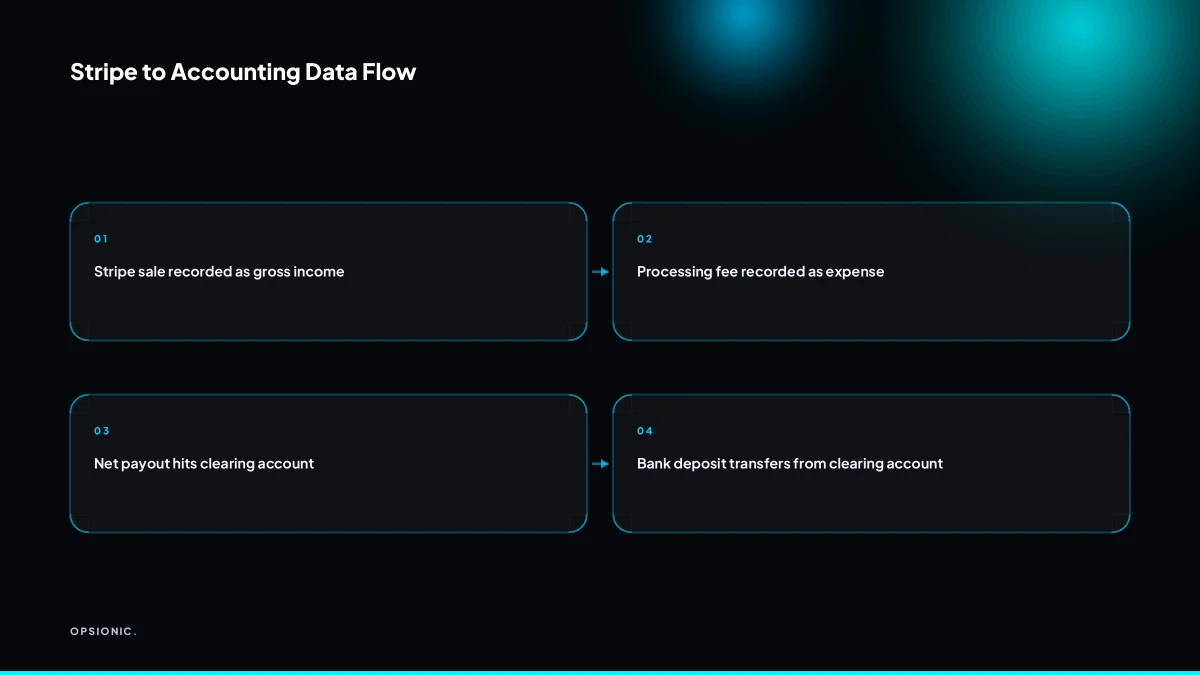
How do you map Stripe sales, fees, and payouts to avoid double-counting?
Record gross sales as income and processing fees as an expense, then reconcile net payouts to a clearing account. When Stripe deposits funds, transfer from the clearing account to your bank. This prevents revenue from being counted twice and ensures your bank feed matches your books.
- Create a clearing account in your accounting software’s chart of accounts. Name it “Stripe Clearing” and set the type to a current asset or bank account, not income or expense.
- Map gross sales from each Stripe transaction to your sales income account. The full amount the customer paid, before Stripe takes anything, lands here.
- Map Stripe fees to a processing fees expense account. This includes transaction fees, currency conversion charges, and any subscription fees Stripe invoices separately.
- Map refunds and chargebacks back to the same income account as a reduction, not a new expense. The clearing account should drop by the net amount Stripe actually returns to the customer.
- Record each payout as a transfer from Stripe Clearing to your bank account, dated the day the money arrives. The amount should match the net payout figure on Stripe’s payout report.
- Reconcile the clearing account weekly. The balance after all sales, fees, refunds, and payouts should sit near zero. Anything left over is a transaction that never got mapped.
This mapping is the same logic behind a proper Stripe to Xero reconciliation, where the payout report drives the clearing entries rather than the bank feed alone.
How should you record Stripe refunds, partial refunds, and chargebacks?
A full refund reverses the entire sale. Credit the bank or clearing account for the amount returned to the customer, and debit your revenue account for the same figure. If VAT was charged, reverse that too: debit the VAT output account so your tax liability drops by the amount you no longer owe. A partial refund follows the same logic, but only for the portion refunded. Say you sold a service for EUR 240 including EUR 40 VAT. You later refund EUR 60. You would credit clearing EUR 60, debit revenue EUR 50, and debit VAT output EUR 10. The original sale remains partly intact, and your books still reconcile to the net payout.
Chargebacks are messier because Stripe takes the full amount back and adds a dispute fee, which varies by region and card scheme. Treat the lost sale as a refund, then record the dispute fee as a separate expense, usually under bank charges or payment processing fees. If you win the dispute later, reverse the entries. Keeping chargebacks in their own account, rather than lumping them with ordinary refunds, lets you see whether a particular product or customer segment is driving disputes.
What is this costing you now?
Based on removing half of that time.
How do you handle VAT or sales tax on Stripe transactions automatically?
Stripe Tax works at the point of sale. You register where you are liable, set your product tax codes, and Stripe applies the right rate to each payment. The tax is captured on the invoice or receipt, so the customer sees exactly what they paid and why.
On the accounting side, map Stripe’s tax field to a dedicated VAT or sales tax liability account, not to income. Your payout from Stripe arrives net of fees but includes the tax you collected. If you book the whole payout as revenue, you double-count tax and understate what you owe.
- Create a liability account called “VAT collected” or “Sales tax payable”.
- Map Stripe’s tax line to that account, not to sales.
- Reconcile the tax balance each period against your Stripe Tax report.
If you sell across borders, check whether you have crossed a registration threshold. The rules changed recently for EU sellers, and the e-invoicing requirements now affect how you must issue and store tax documents. Getting the mapping right on day one is cheaper than unpicking a quarter of mixed entries later.
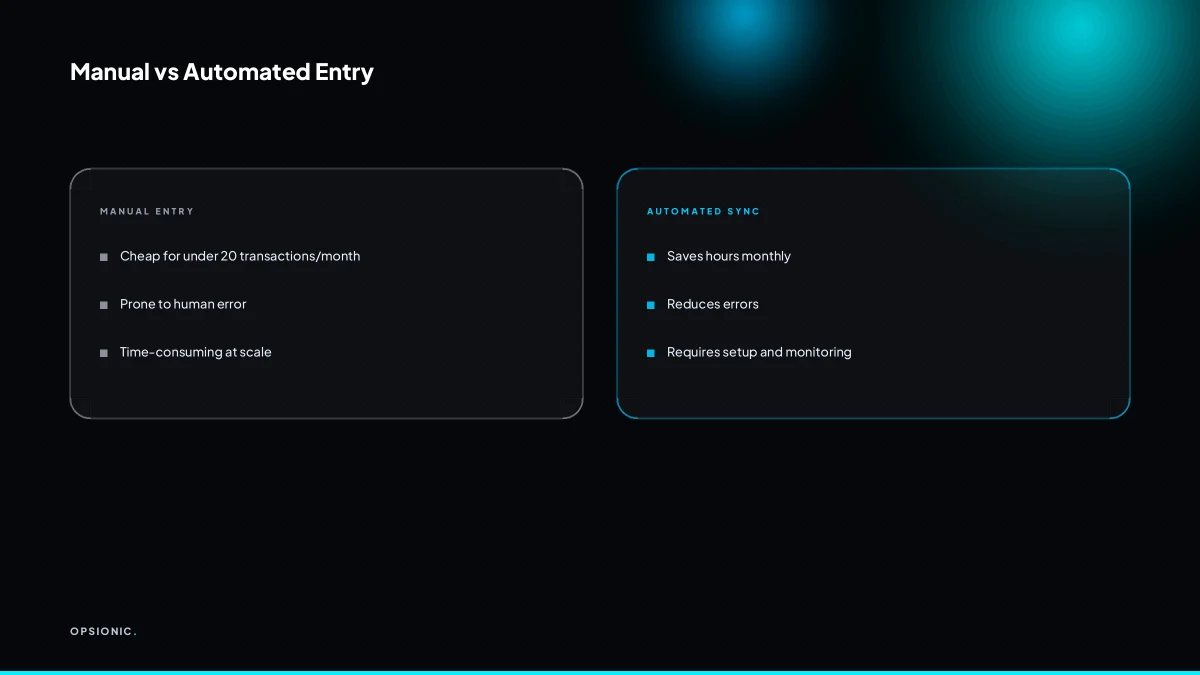
What commonly breaks in Stripe accounting automations, and how do you fix it?
Duplicate records. The symptom is a payout that appears twice in your ledger, or an invoice that posts as two sales. This happens when Stripe retries a webhook because your server did not confirm receipt fast enough, and your automation treats the second delivery as a new event. The fix is an idempotency key: store the Stripe event ID against each record you create, and check for it before inserting anything. If the event ID already exists, skip the insert and acknowledge the webhook. Build this check into the first version, not after you have spent an afternoon deleting doubled entries.
Timezone and date consistency. The symptom is a payment that lands on the wrong day, which matters most at month end. Stripe sends timestamps in UTC, but your accounting package may interpret them in your local zone, shifting a 23:30 payment into the next period. The fix is to convert every timestamp to UTC at the point of entry, and store it as UTC. Set your automation to write the date explicitly, rather than letting the accounting software guess. Agree one rule with your accountant: the date of the Stripe event, not the date your automation ran.
Silent failures and rate limits. The symptom is a quiet week followed by a discovery that nothing has synced since Tuesday. Webhooks fail when your endpoint is down, a secret rotates, or Stripe throttles your requests and your retry logic gives up. The fix is active monitoring: check the webhook delivery log inside Stripe, and set an alert if deliveries fail for more than an hour. For rate limits, add a retry that respects the backoff header Stripe returns, and log every attempt. A month of missed entries is one of the most common reasons automation projects fail in small businesses, because nobody notices until the bank statement will not reconcile.
Want this running in your business next week?
A relaxed 20-minute video chat. Camera on or off. You leave with a plan whether or not you hire us.
- No call unless you ask for one
- From EUR 399 a month, no setup fee
- Built and run for you, not handed over as homework
Sources we checked
Questions people ask
Can I connect Stripe to Xero without Zapier?
Yes. Xero has a direct Stripe bank feed that imports payouts, and Stripe's own Xero app can post invoices and fees. Both need a paid Xero plan with bank feeds and app connections. Check Xero's help for the current setup steps, because menu wording changes.
Does Stripe integrate with QuickBooks Desktop?
Not natively. QuickBooks Desktop has no direct Stripe connection. You would export Stripe reports as CSV and import them, or use a third-party connector that supports Desktop. Most modern Stripe integrations target QuickBooks Online, so confirm compatibility before paying for any tool.
How do I record Stripe fees in Xero?
Record the gross sale as income and the Stripe fee as a separate expense line to a processing fees account. Do not net them. If you only book the payout, your revenue is understated and the fee is invisible. Reconcile the clearing account to zero after each payout.
What is the best way to reconcile Stripe payouts in QuickBooks?
Use a clearing account. Post gross sales and fees there, then record each payout as a transfer from clearing to your bank. Match the transfer to the net payout figure on Stripe's report. The clearing balance should return to zero, which proves every transaction was mapped.
Can Stripe automatically send invoices to Xero?
Stripe can send invoice and payment data to Xero through its Xero app or a connector like Zapier. It does not push full invoices by default. You map the fields you need, typically customer, amount, tax and fee. Check that your Xero plan allows third-party app connections.
How do I handle Stripe payouts in multiple currencies?
Record each sale in its original currency, then record the payout in your base currency using the exchange rate on the payout date. Post the difference to a currency gain or loss account. Do not let the accounting software guess the rate, because it will pick the wrong date.
Does Stripe Tax work with QuickBooks Online?
Stripe Tax calculates tax at checkout, but it does not post directly to QuickBooks Online. You map the tax field to a liability account in QuickBooks through your connector. Reconcile that liability against Stripe's tax report each period. Confirm your QuickBooks plan supports the app connection.